Variable concatenation
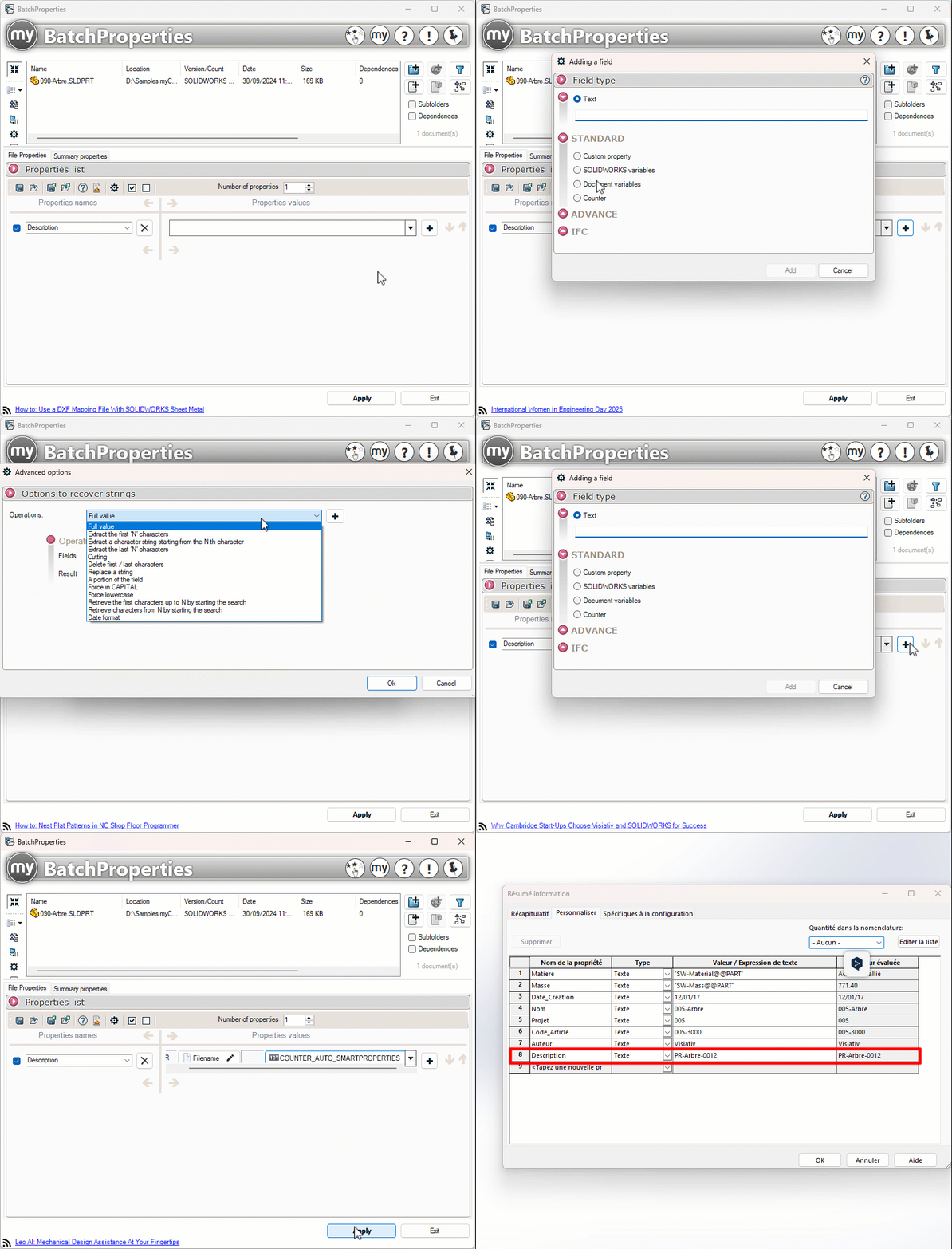
It is possible to enter a property whose value is the result of the concatenation of several fields. To do this, simply click on the  (Add a field). All field types can be combined.
Example: If I concatenate a fixed value "PR-" + a portion of the "File Name" document variable + a fixed value "-" + a counter, I get a Description property with the following value: PR-Tree-0012