Automatically Launching SmartProperties via CustomToolBar
When you create a new SOLIDWORKS document, you may want to name your file first. Instead of manually launching the SmartProperties utility, you can set it to launch automatically. To do this, follow these steps:
1- First, go to the settings, either:
- From the drop-down menu: "Tools" > "CustomToolbar" > "Settings"
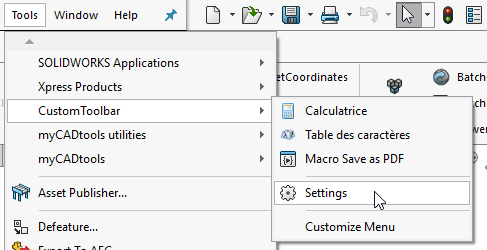
- From the "CustomToolbar" toolbar
 .
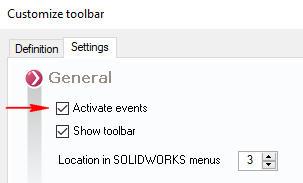
2- "Enable events" - Make sure this option is checked.
3- Select the SmartProperties tool from the list.
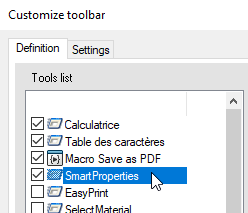
4- Check the location of the SmartProperties executable. If necessary, search for it by clicking on  .
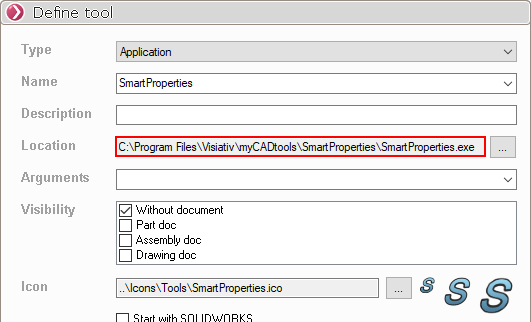
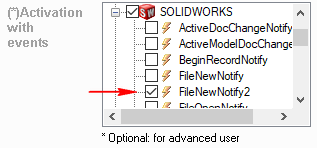
5- Finally, enable the SOLIDWORKS event: " FileNewNotify2." This will launch the SmartProperties tool every time a new SOLIDWORKS document is opened.