
Export options

If the 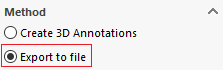 has been used, it is possible to export the coordinate table.
- Export to Excel:
You can then choose the format in which to export the table.

When the " Keep link to Excel file " option is checked, a menu appears that allows you to select the previously exported Excel file.

A message then appears when GetCoordinates 3D is validated.

If you click " Yes," the Excel file opens automatically.

Any change to the geometry will cause this message to appear.
You can choose not to display this message; to do so, you must re-edit the " GetCoordinates 3D " macro and check this option.

- Export as Text
The "Delimiter" menu can only be edited if the option is set to "Text File."

You can then choose from several separators.
