
myCADtools AI (Beta)
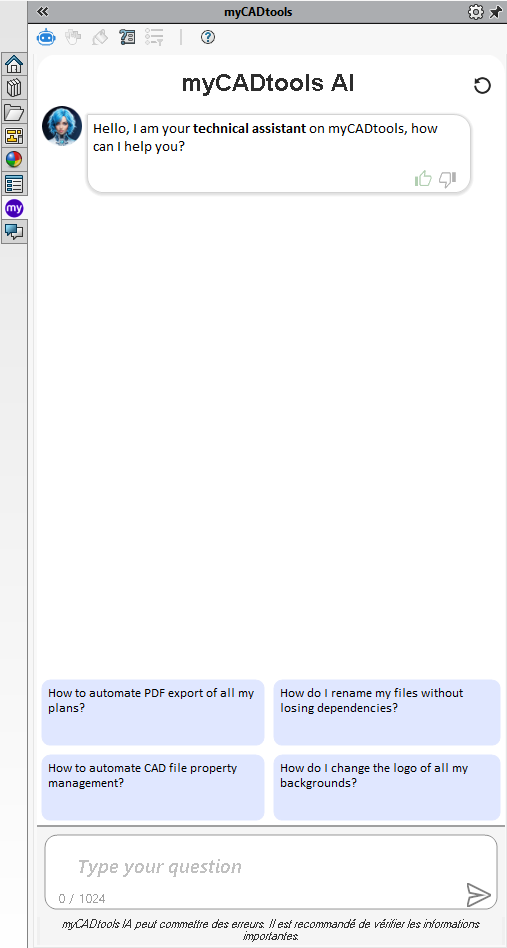
 What is myCADtools AI?
myCADtools AI is a new intelligent assistant designed to save you time in your day-to-day work. It lets you ask questions about :
- How SOLIDWORKS works
- Using myCADtools
- Setting up or using myPDMtools
It responds instantly, 24 hours a day, drawing on a rich and constantly updated knowledge base..
 How do I use it?
- Open the myCADtools AI interface from the tools home menu.
- Type your question in the field provided.
- The AI responds instantly, with links to useful documentation if required.
 How does it work?
myCADtools AI is based on artificial intelligence connected to a document database including :
- Official myCADtools & myPDMtools documentation
- User guides and tutorials
- SOLIDWORKS best practices
AI doesn't replace technical support, but it does enable you to find an instant answer to your most frequently asked questions.
 Examples of questions you can ask
- "How do I create a BOM with SmartBom?"
- "How can I automate the export of all my plans?"
- "How to force open read-only files in myPDMtools?"
- "How do I drill at an angle in SOLIDWORKS?"
You can ask technical, functional or even practical questions. AI understands the context and guides you towards the best solution.
 Tip
Tip
The more precise your question, the more precise the answer. For example:
 "Create a part
 "How do I create a part with a simple extrusion in SOLIDWORKS?"
 Data & Privacy
No information from your SOLIDWORKS files or models is sent to or used by AI. All questions are treated anonymously.