
Delete Properties
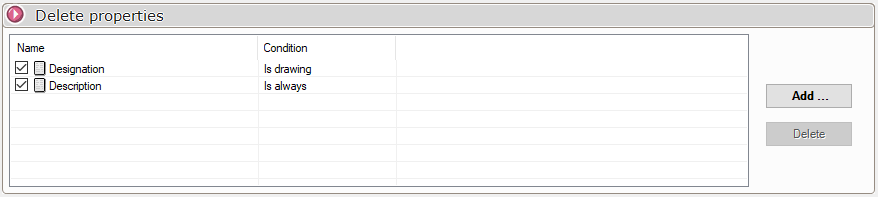
This dialog box allows you to delete a list of properties from duplicate documents.
Press the  to add a property to the list.
- " Name": Type the property name using the keyboard, or select it from the drop-down list.
- "Condition" The property can be removed from the duplicated document depending on a particular condition. 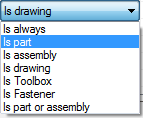 .
In the image above, three properties will be removed:
- The " Description" property will always be removed.
- The " Designation" property will be deleted only if the document is a drawing.
Some properties can be unchecked  if they are not to be taken into account during treatment.
To remove a property from the list, simply select it and press  .