
Model management
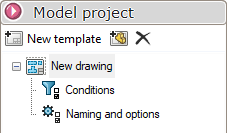
Templates in SmartDrawings allow you to create several distinct plan configurations, each tailored to specific needs.
A single project can contain several different models, and thanks to the advanced conditionsSmartDrawings automatically applies the appropriate template according to the type of file being processed.
It is possible to set a naming rule which will replace the one defined in the general options.
 Creates a new model
 Allows you to create a model from an existing plan. Smartdrawings will create the same sheets, view dimensions and positions, etc.
 To delete a model