
Standard orientation
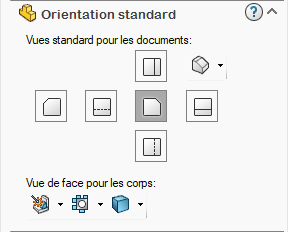
Set the orientation of your views as usual in SOLIDWORKS
Click on the "?" to be redirected to the SOLIDWORKS online help for view orientation, or click on this link:
https://help.solidworks.com/2025/french/Solidworks/sldworks/HIDD_DVE_NAMED_VIEW.htm
It is possible to set the orientation used for the different body types:
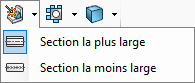
Indicate whether the front view should show the widest or narrowest section of the body.
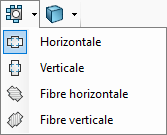
Define the orientation of the part (horizontal, vertical) or according to the direction of the main fiber.
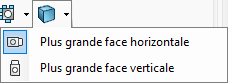
Choose whether SmartDrawings should orient the structure with the largest face horizontal or vertical.