
Launch of TaskPlanner
- Launch from "myCADpassport":
On the taskbar, right-click the " myCADpassport " icon.
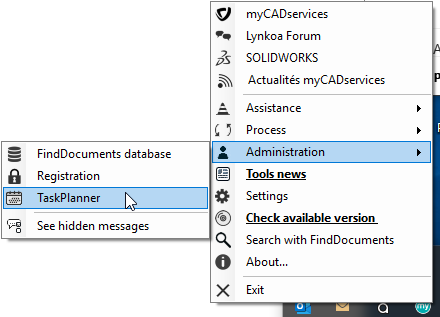
Select " TaskPlanner " from the list.
- Launching from the Windows "Start" menu:
Go to " Start," then " All Programs, " and from the list, select " myCADtools 2020 " (or the version installed on your computer), " Administration Tools," and " TaskPlanner."