Configuring the button in the data card
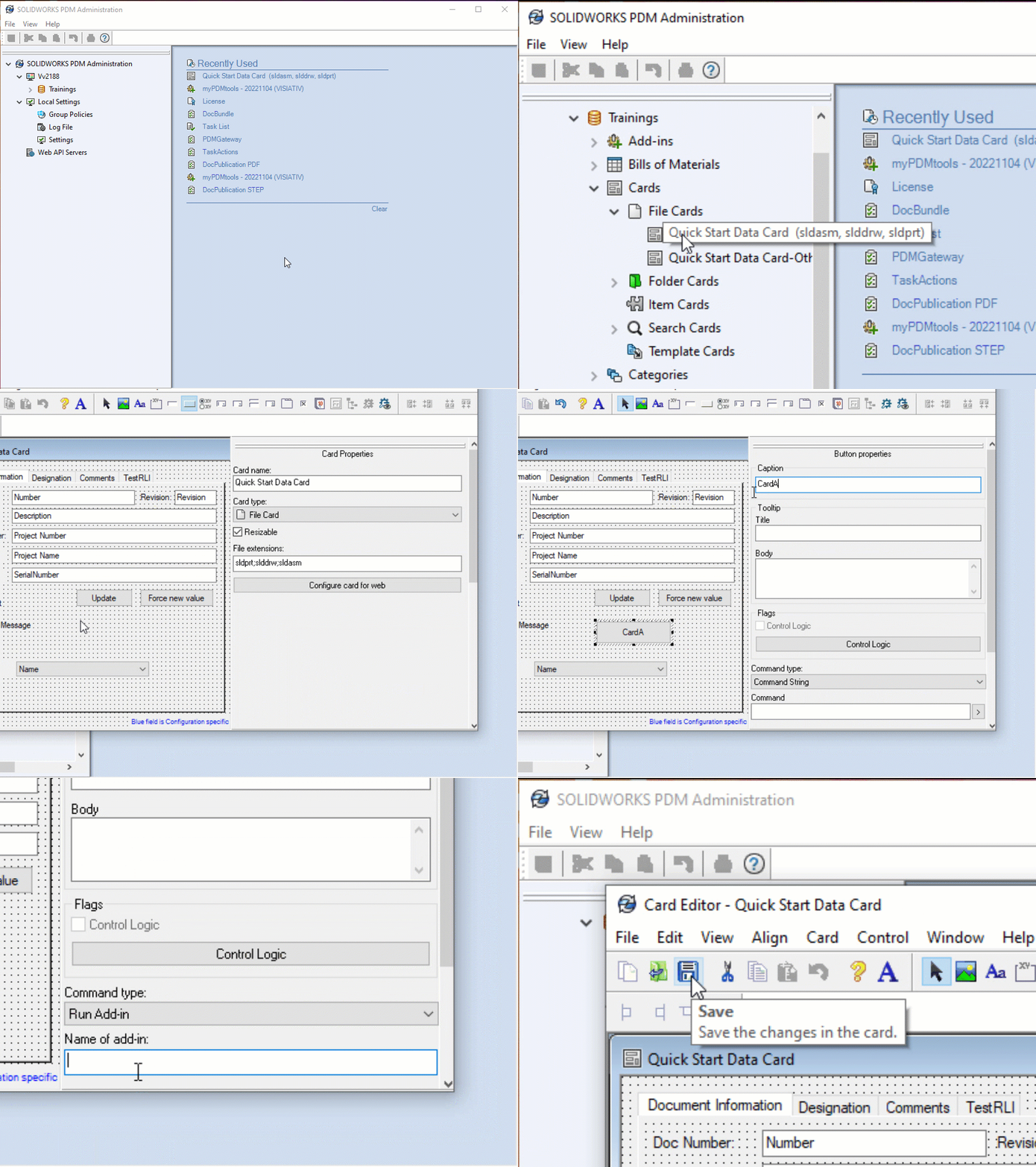
To use the data card, you must define a button that runs the myPDMtools.CardActions.<button name> add-in.
First, create a button with the following properties:
- Command Type --> Run Add-on
- Add-in name --> myPDMtools.CardActions.<button name>.
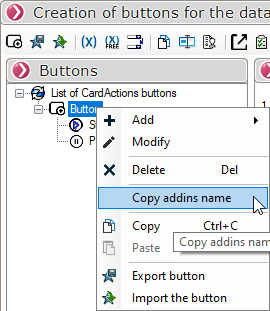
The syntax to use can be copied directly from the CardActions interface:
The attached video shows you how to set up a CardActions button: