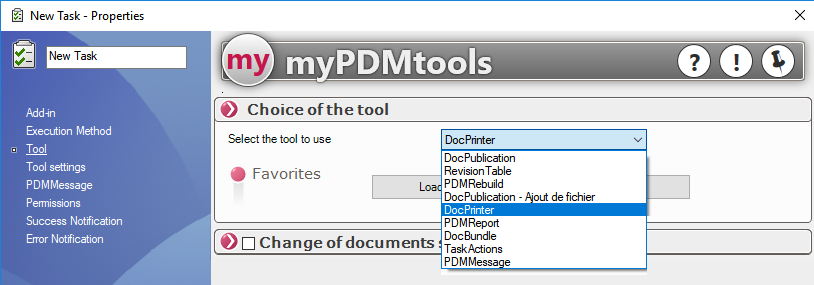
Adding a DocPrinter task
DocPrinter allows you to print a list of SolidWorks documents (from the vault) by routing the print jobs to different plotters or printers based on the size of the formats:
- Either automatically when a status change is triggered by a lifecycle event.
- Either by right-clicking on a document and selecting the task from the context menu.
If a SolidWorks session is already open, DocPrinter uses a second session to process SolidWorks documents.
When creating the task, you will be able to configure the options for running DocPrinter.