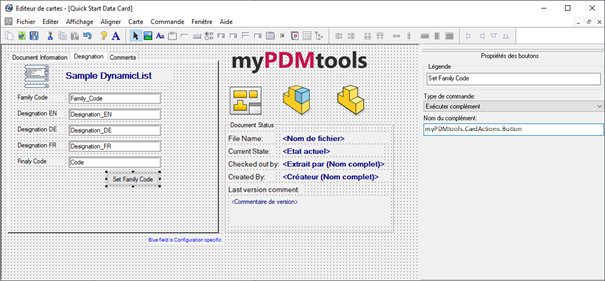
Create cascading drop-down menus for PDM data cards
SOLIDWORKS PDM does not allow you to create drop-down menus that depend on previous drop-down menus for PDM data sheets.

The DynamicList action,available in CardActions within the myPDMtools suite,makes it easy to create a dynamic drop-down menu based on a text file, Excel file, or SQL database.
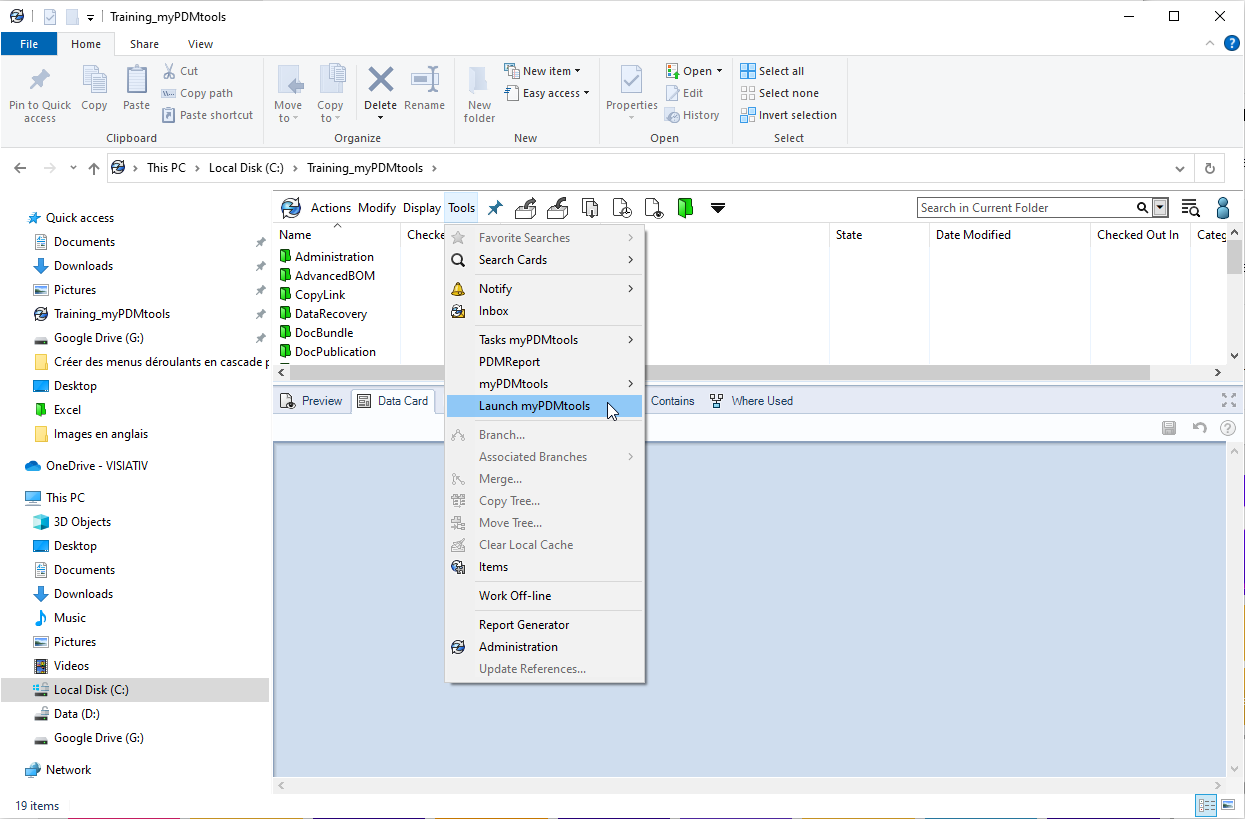
Launch myPDMtools from a SOLIDWORKS PDM Explorer:
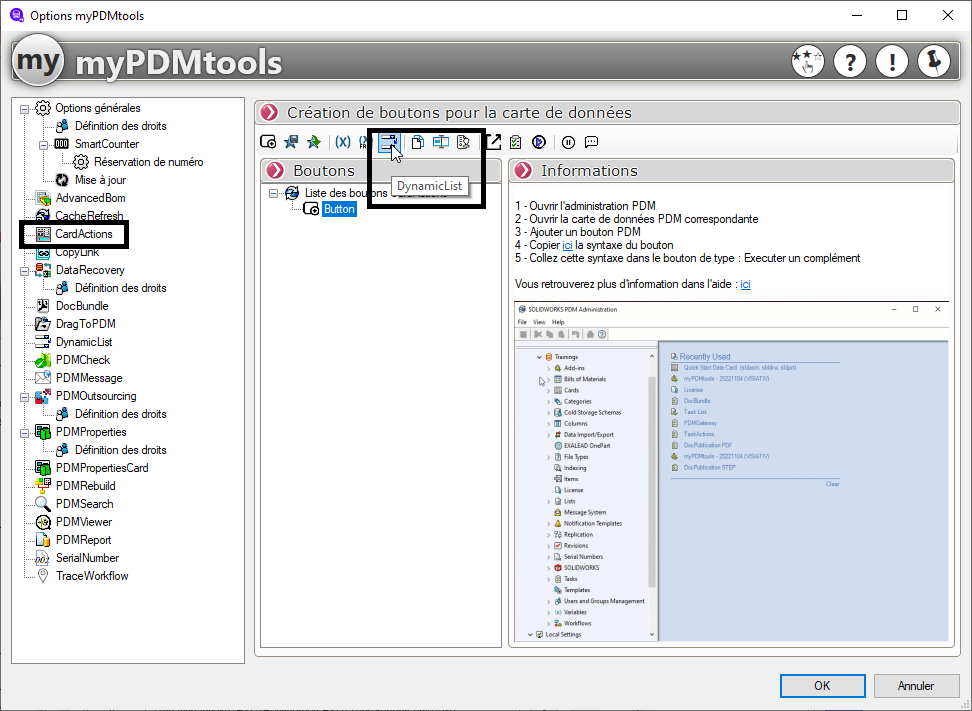
Click here to generate button settings:
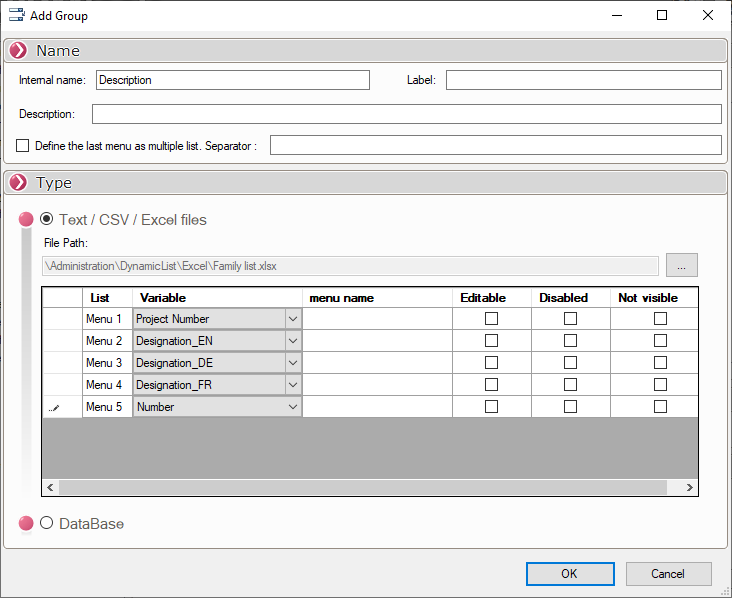
After defining the name, you can set the variables that correspond to each entry in the drop-down menus:
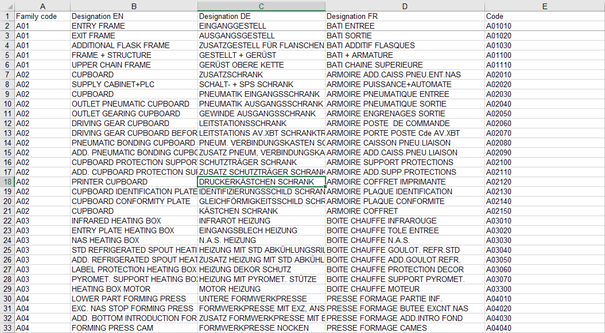
Here is how the corresponding Excel file is set up:
The DynamicList settings allow you to make the drop-down menu editable, disable it, or hide it:

All that's left is to configure the button to be displayed in the data card.
So, we start by copying the name of the complement:
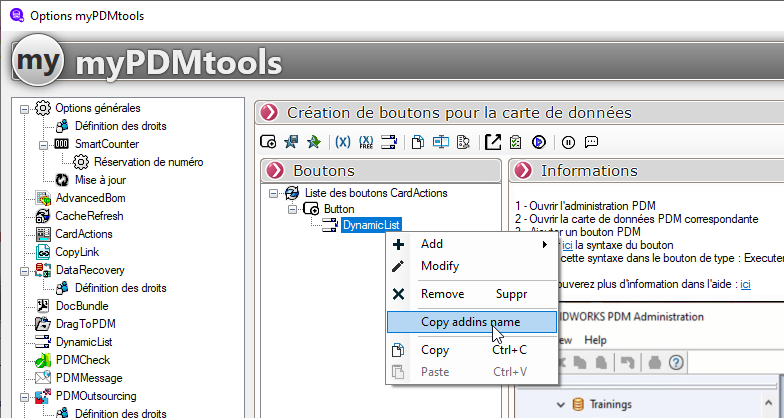
Next, in a data card, create a button, select "Run Add-in" under "Command Type," and paste the name of the add-in you copied earlier: