
Options - Notification Type
- PDM Notification Type
- Type of email notification:
For this type of notification, you must configure the SMTP service.
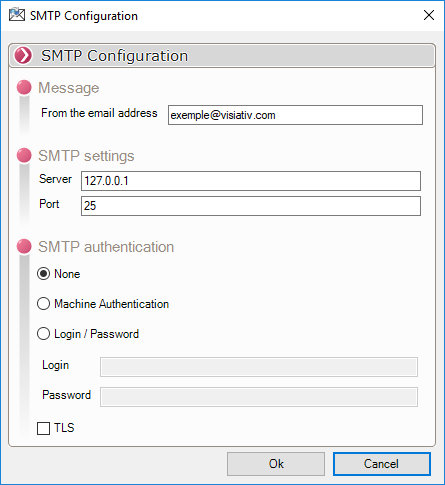
- Message - Enter the source email address for sending here.
- SMTP Settings - Enter the SMTP server name here, such as "Hotmail: smtp.live.com" or "Gmail: smtp.gmail.com." SMTP servers typically use ports 25, 287, or 465.
- SMTP Authentication - If authentication is required, it can use the authentication settings of the machine from which the notification is sent. Alternatively, a username and password may be required.
- TLS - Normally, SMTP transfers are unencrypted; checking the TLS box indicates that a security protocol should be used for the transfer.