Using the "Linear Iteration of Planes" method
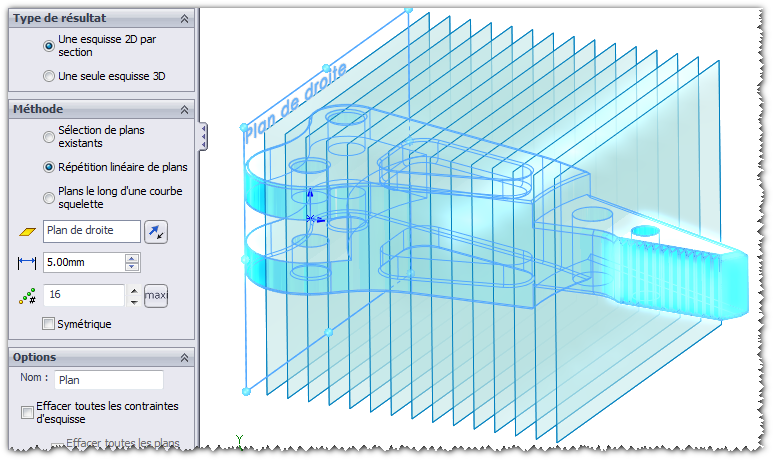
Example 1: Create multiple planes in a single step using the Repeat command to obtain the intersection of these planes with the selected entities to be cut (in this case, the solid). The desired result will be one 2D sketch for each plane created.
By clicking on the  the direction of repetition is reversed.
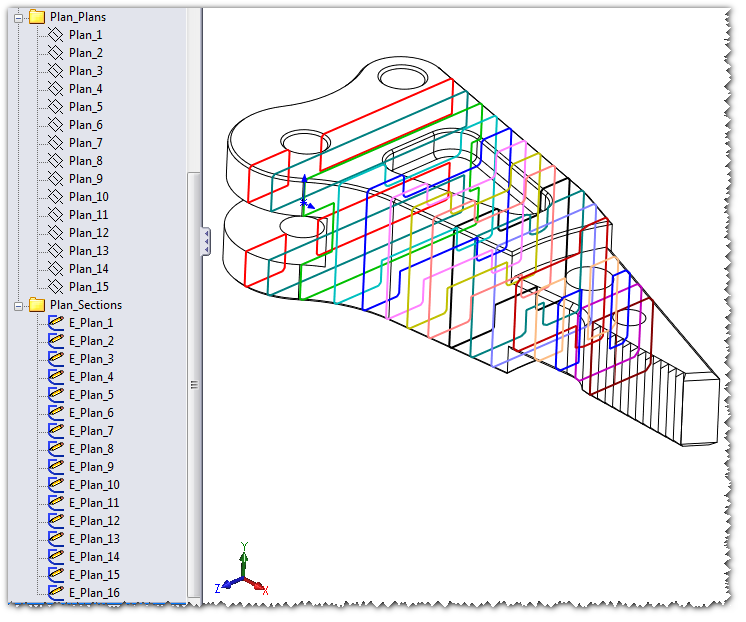
The result obtained in a single step:
15 drawings were created and 16 2D sketches were produced as requested; the drawing on the right was already part of the project.
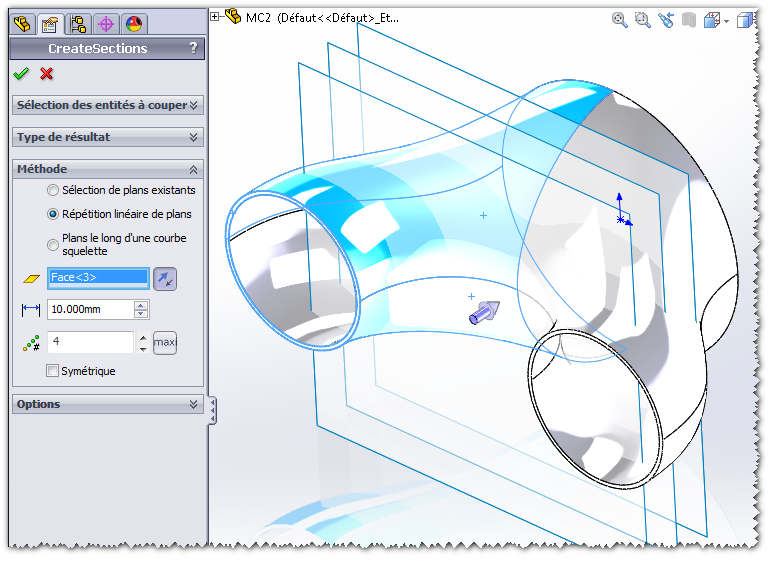
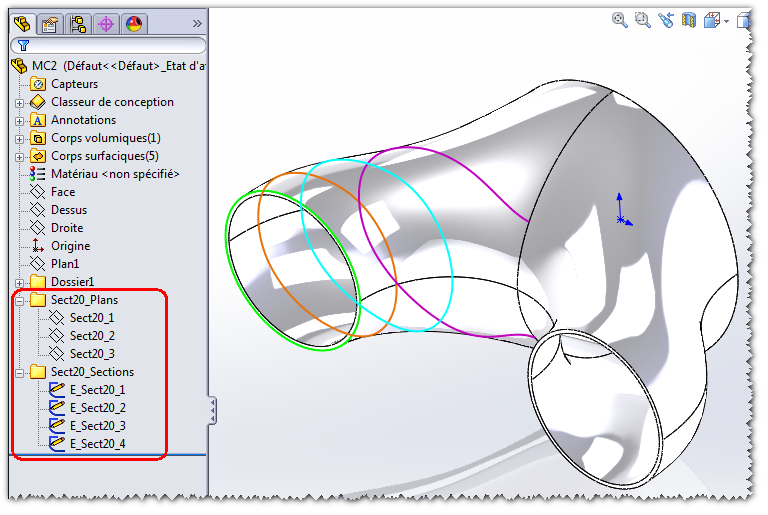
Example 2: In a single step, retrieve and create multiple drawings and multiple 2D sketches, or a single 3D sketch, from a selected drawing.
Here, three planes are created from the " flat face " to generate four 2D sketches resulting from the intersection of these planes with the surfaces to be cut.
By clicking on the  the direction of repetition is reversed.
The result, achieved in a single step, is the creation of:
- Three shots per take.
- Draw 1 sketch on the selected face.
- 3 sketches out of the 3 drawings created.
Example 3:
If the  is checked, mirror planes are generated to obtain the corresponding sections.
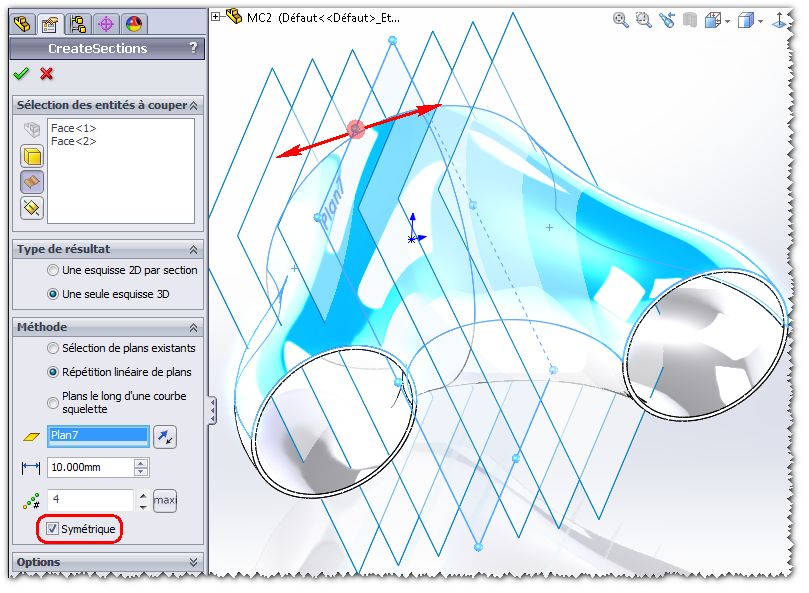
The result, achieved in a single step, is the creation of:
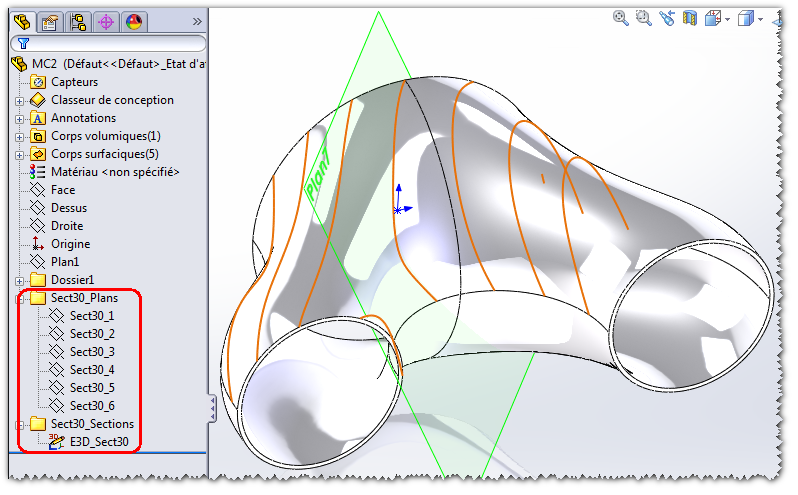
- Planes repeated (3) and then mirrored (3) relative to the selected Plane7, with a 10-mm increment.
- Please provide a single 3D sketch containing all 6 sections.