
Overview
Example:
A project is saved in a local folder at " D:\ ".
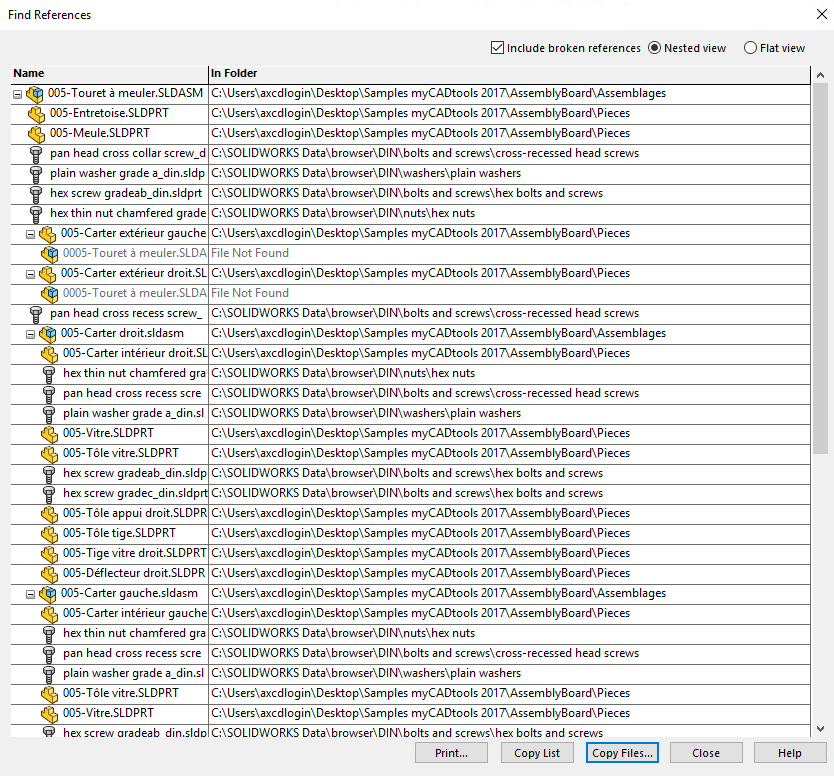
After moving the "Parts" folder to a network drive, SOLIDWORKS prompts you to search for missing files as soon as you open the assembly or drawing. You must therefore specify the new location for each modified project.
With the "Dependencies" utility, you don't need to open the documents; you just need to enter the correct information.
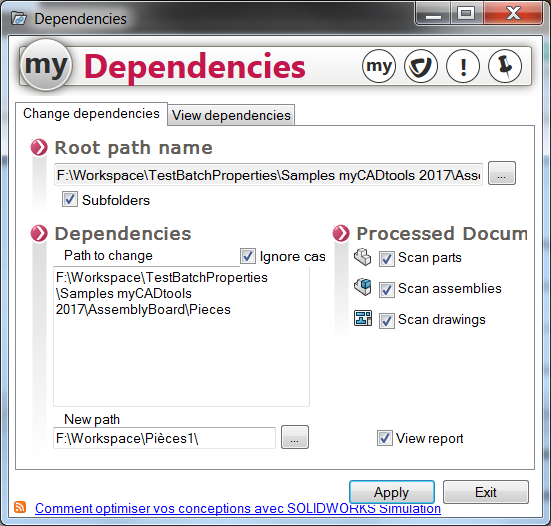
Enter the information needed for the analysis:
- Set the root directory of the path.
- Specify the dependencies related to the locations to be replaced.
- Documents processed.
- Apply the analysis.
- See the report.
- See the dependencies.