Treatment
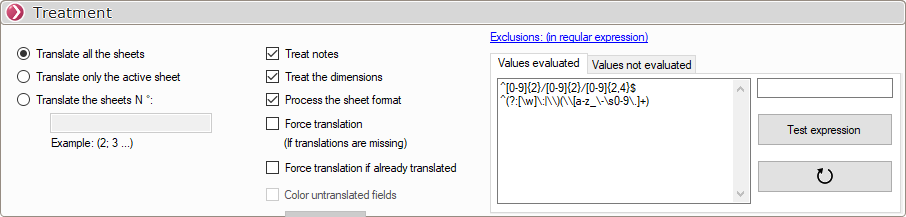
Single selection:
- Translate the content of certain sheets.
- Translate only the content of the active sheet.
- Translate the content of all the sheets.
Multiple selection:
- Whether or not to process the notes.
- Whether or not to process comments in dimensions.
- Whether or not to process the annotations contained in the background (i.e., the title block).
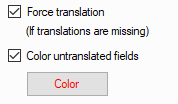
- Force translation. If translations are missing, you can highlight them in a selected color.
- There is an option that allows you to reprocess sheets that have already been translated; in this case, those sheets will be deleted and recreated.
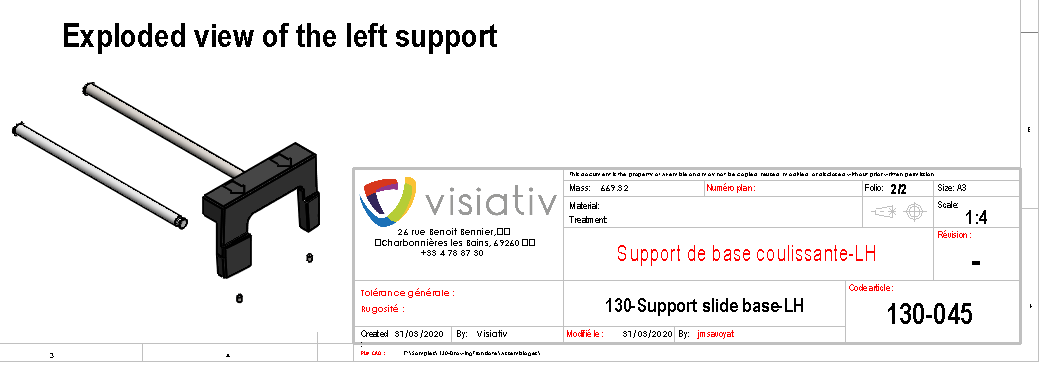
Example: Highlight the untranslated elements (shown here in red).
Here is the result for a request for an English translation:
You can configure regular expressions to exclude certain terms from the translation.
Here are a few examples of regular expressions that can be used:
- Example: Detect a date in the following format: 09/12/2019
Regular expression to use => ([0-2][0-9]|(3)[0-1])(\/) (((0)[0-9])|(1)[0-2]) (\/)\d{4}
Explanation of the coding for this field:
([0-2][0-9]|(3)[0-1]) (\/) (((0)[0-9])|(1)[0-2]) (\/)\ d{4}
(1) (2) (3) (4) (5)
1. Group the days enclosed in parentheses [0-2][0-9]|(3)[0-1]
1st character: [0-2] —between 0 and 2
2nd character: [0-9], between 0 and 9
| or
1st character: (3) 3 only
2nd character: [0-1], between 0 and 1
Group 2 \ /
1. Character only / (the preceding \ is required before special characters such as ' " \ /, as well as ASCII or formatting codes)
Otherwise, the character takes on a different meaning in the codification of the expression.
In the case of \ /, this means to take into account the ASCII code for the character /.
We could also have specified the ASCII code directly: \x2F.
An easy way to find the ASCII code in hex is to use the Windows "Character Map" application.
3rd group (0)[0-9]|(1)[0-2])
1st character: ((0)[0-9]) 0 or a number between 0 and 9
2nd character: (1)[0-2]) 1 or between 0 and 2
Group 4 \ / (same as Group 2)
5th group \ d{4}
4 numeric characters (preceded by a "\" before the formatting code)
- Example fields:
- Location of .txt or .zip file
([A-z0-9-_+]+\/)*([A-z0-9]+\.(txt|zip))
- French phone number
(?:(?:\+|00)33[\s.-]{0,3}(?:\(0\)[\s.-]{0,3})?|0)[1-9](?:(?:[\s.-]?\d{2}){4}|\d{2}(?:[\s.-]?\d{3}){2})
- Website
(http:\/\/|https:\/\/)?[a-z0-9]+([\-\.]{1}[a-z0-9]+)*\.[a-z]{2,5}(:[0-9]{1,5})?(\/.*)?
- Etc...
You can find examples of everything you need online (see "Regular Expressions "); regular expressions are used in all modern programming languages.
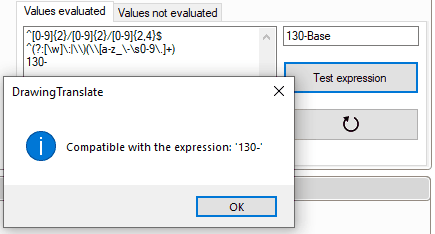
Be sure to validate your own expressions using the testing tool included in DrawingTranslate.
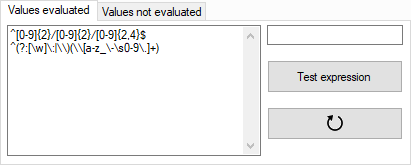
Example: Exclude all strings that begin with " 130- ".
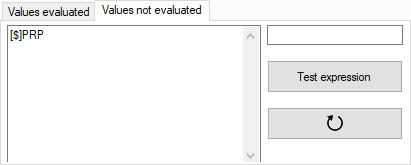
The "Unevaluated Values" tab allows you to specify properties for which the exception will be ignored.
For example, notes beginning with " $PRP " will be ignored during processing (e.g., the $PRPSHEET and $PRP properties, etc.).