
Export file
Operation possible on assemblies. 
This operation allows you to export all selected files in a specific export format to a specific folder.
The export format is selected from the drop-down list.
It supports all formats available in the SOLIDWORKS " Save As" function.
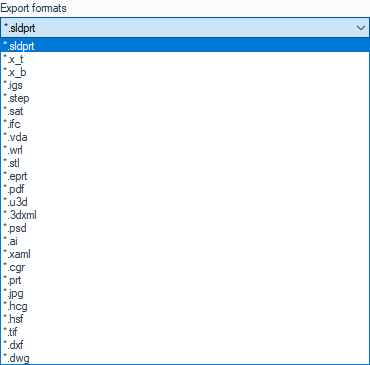
Example:
Export all selected files as PDF files.
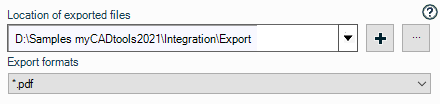
The exports will be saved in the " D:\Samples myCADtools\Integration\Exports " folder.
For location, we use field concatenation tool to retrieve variable values from SOLIDWORKS, Windows, etc., and create a customized save path. You can, however, click on the  to define a location manually and add a variable to define a location according to document type.
To name exports, we use the rules defined in the "Naming Rules" options.
 This operation can be preceded by other operations such as :
- Zoom in all the way
- Switch the document to isometric view
- ...