
Mail activation
Email activation procedure:
If you don't want to use the online registration option, you can register your licenses by email.
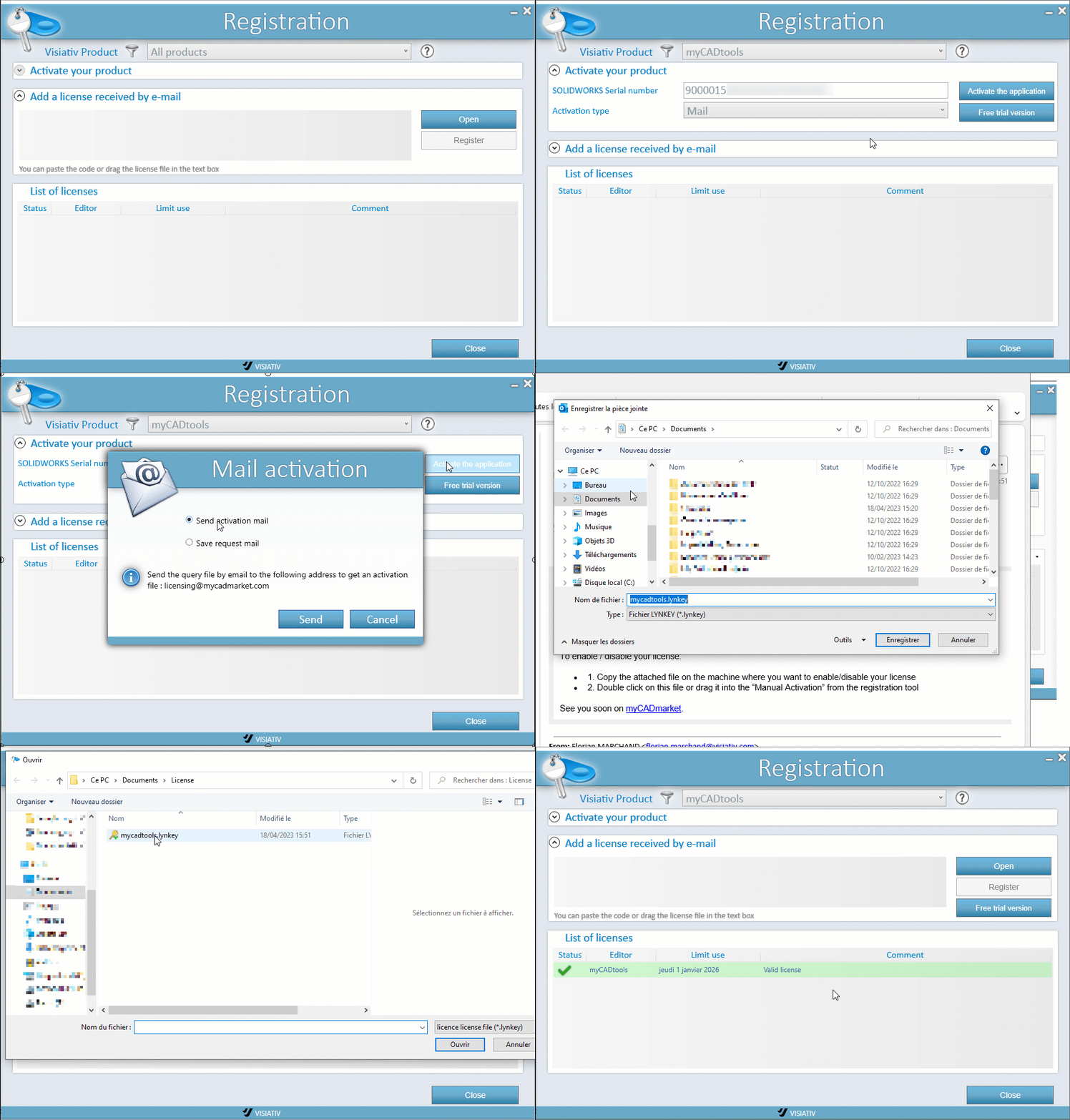
Once you have the code, simply:
- Open - To select the received file (for example, myCADtools.Lynkey). The registration key is contained in this file.
- Copy and paste the code you received into the " Add a License Code " window.
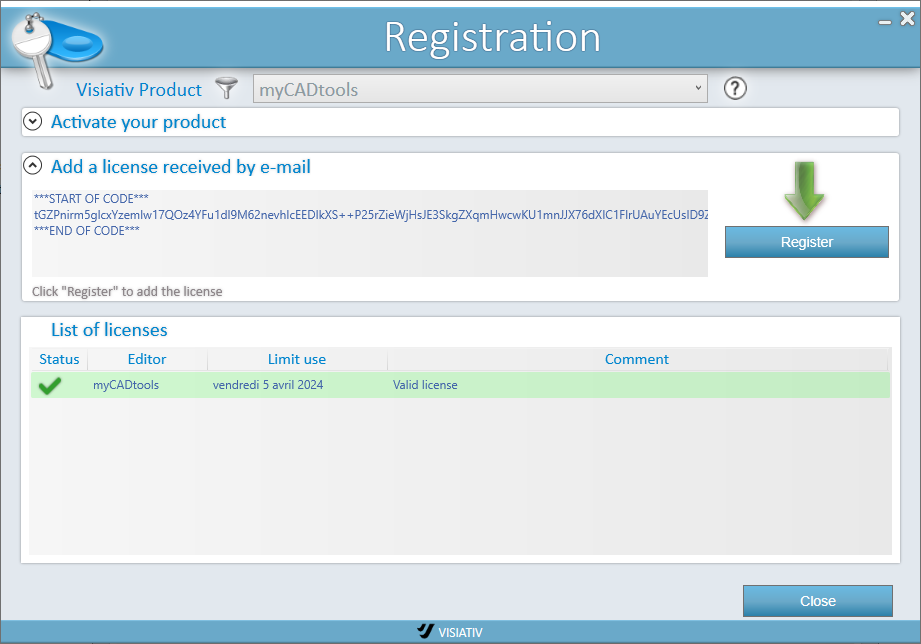
If the copy/paste is valid, a green arrow prompts you to click the " Register" button. The license will then appear in the " List of Your Licenses. "