
Link type
A link can appear as a button or as plain text, with or without a tooltip.
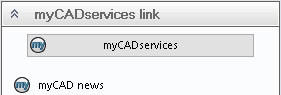
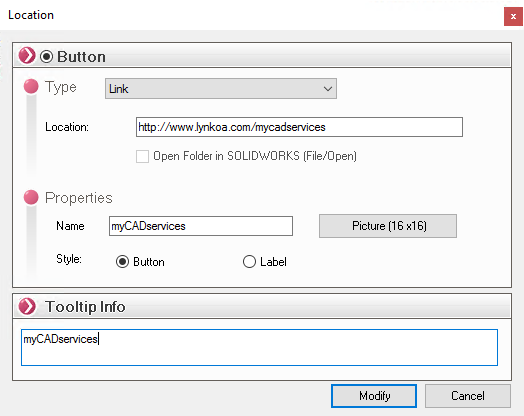
In the example above, the location:
- It is of the "Link" type and will point to a URL (http://www.lynkoa.com/mycadservices).
- The style looks like a button.
- The name in the button is " myCADservices."
- If necessary, to display another icon (for example
 ) simply select an image by clicking on ''Image (16x16)''.
- In the " Tooltip " section, enter the text that will appear when the cursor hovers over the item.