
Generate
 This button is used to create a new configurator (Excel file), overwriting the existing one and starting from scratch.
 This button opens the configurator (Excel file) associated with the open assembly.
 This button is used to add the components or functions selected in the fields below to the configurator (Excel file).
Component selection:
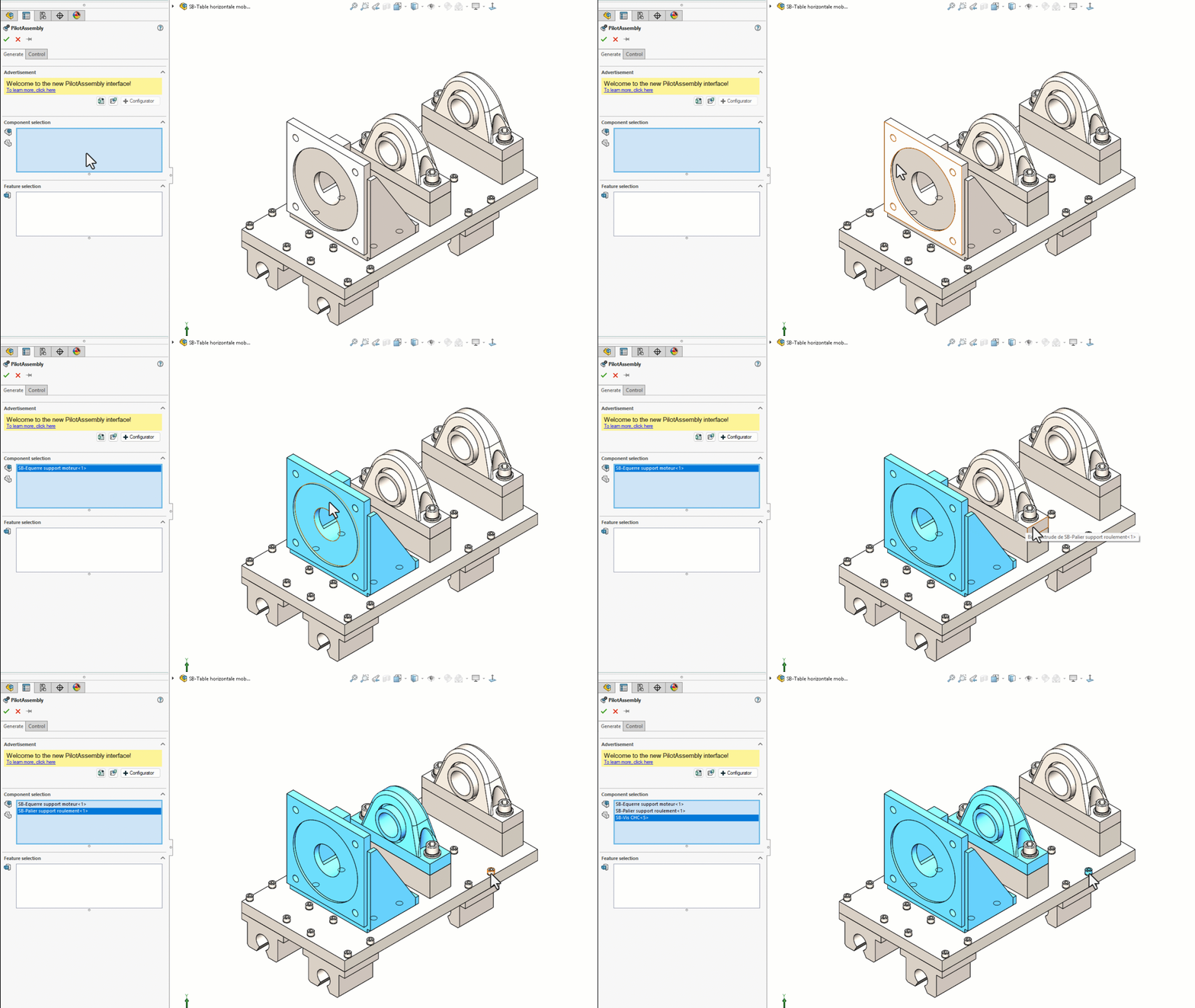
This field is used to select the parts/assemblies to be exported to the Excel file.
Selecting a part will bring up all associated constraints/properties and functions.
Selecting an assembly will also output the parts included in that assembly.
Function selection:
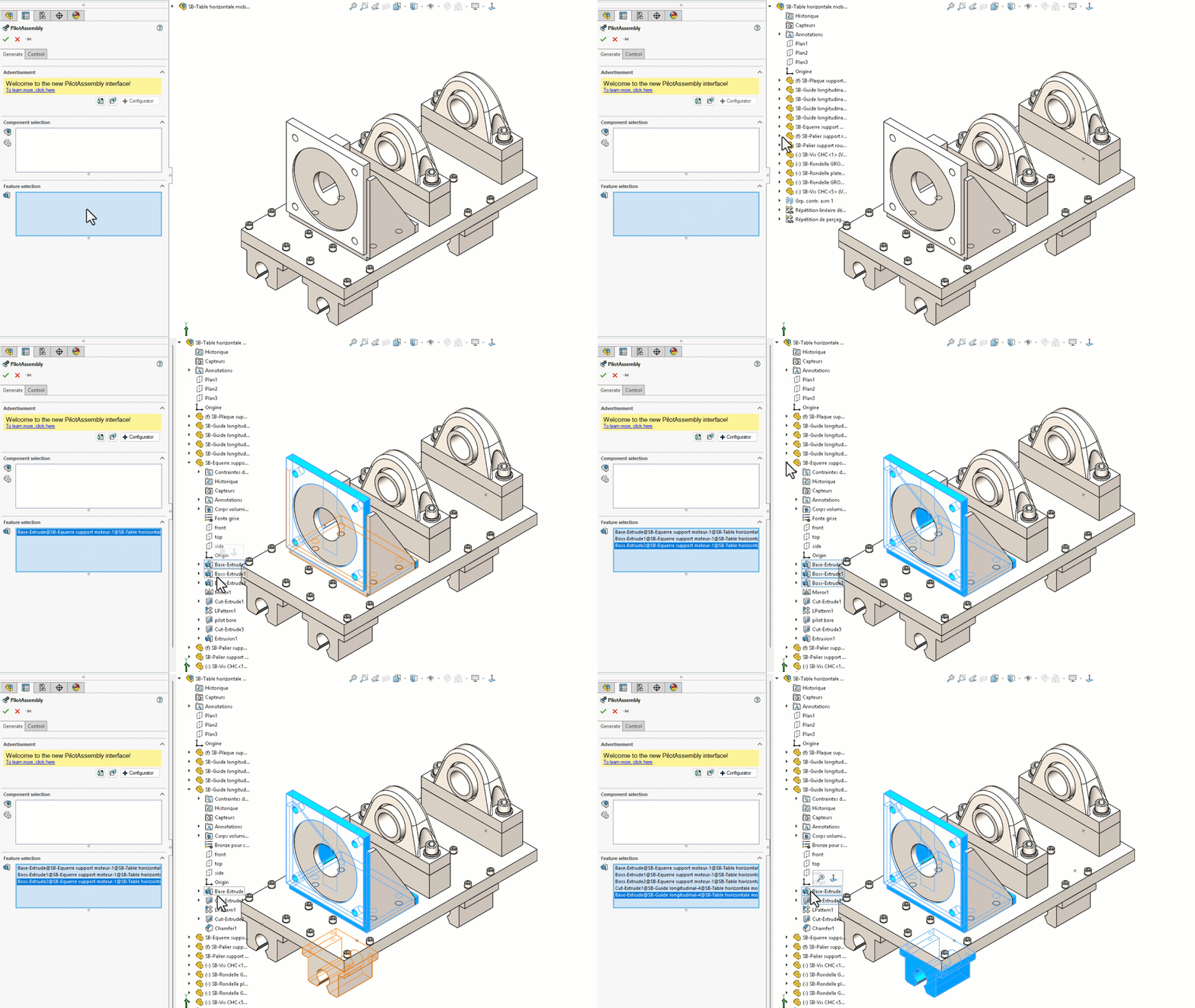
Use this field to select functions only.
You will need to select functions from the construction tree in the SOLIDWORKS modeling area.
If you encounter an error message when creating an Excel file on the network, see here