
Example
Let's take the example of defining the format string for a concatenation:

Enter the serial number and click + to set the value.
In this window, we can define an attribute concatenation and a counter to specify the format of the SerialNumber.
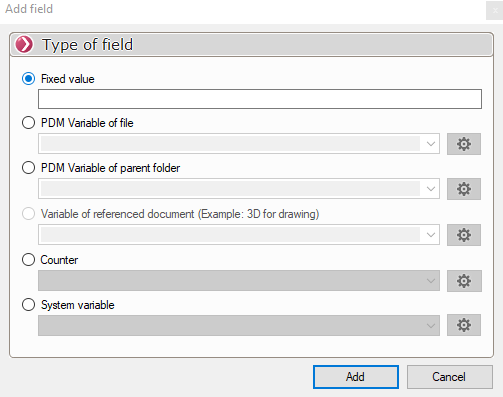
Example of how to create the format string:

- Click + and add a counter.
 Confirm with

- Click + and add a fixed value.
 Confirm with

We'll be able to add any type of counter (1, 2, 3, A, B, C, or custom), and these counters can be shared with myCADtools.
Meter Configuration -> SmartCounter
- Click + and add a variable from the file.
 Confirm with
