
Extracting Properties from an Excel File

This process retrieves the contents of the data map property variables from a directory in the vault in order to insert them into an Excel file.
In this mode, you can:
- Extract values from the data cards in the files
- Extract values from the data cards in the folders
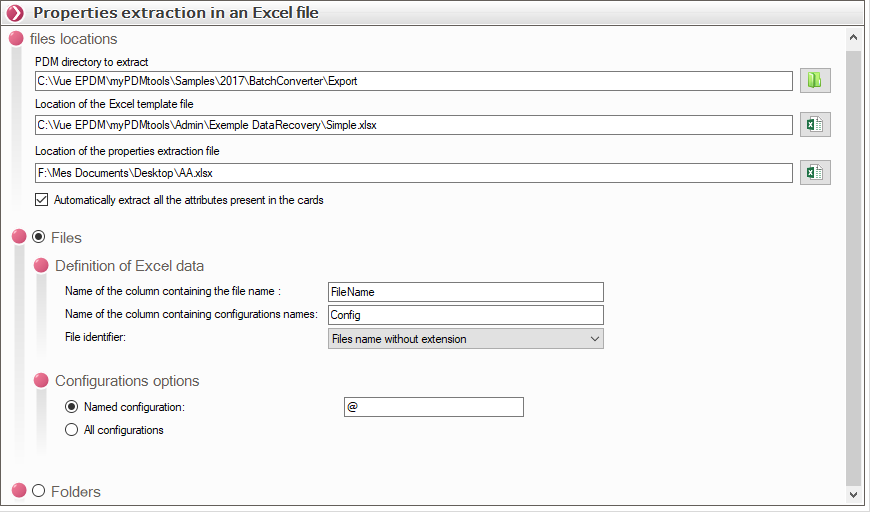
- File locations:
We specify:
- The directory to extract
 .
- Then the location of the template of the Excel file containing the columns and the style of the result to be obtained

- Then the location of the result file
 :
With this option, the program will automatically add columns containing all the properties found in the data sheets of the processed files or folders.
In this case, the Excel file must contain only the FileName and ConfigName columns for the files
Definition of the columns in the Excel template:
The Excel file must contain the FileName and ConfigName columns. If you do not extract all the attributes from the data card, to export the value of a variable, simply add a column with the name of the variable you want to extract.
