
Exporting file attributes
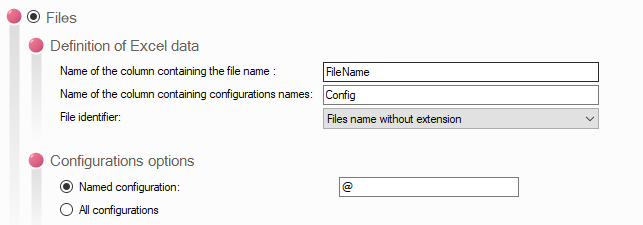
- Definition of Excel data:
- Enter the name of the column in the Excel file that will contain the document names (required).
- Enter the name of the column in the Excel file that will contain the configuration name (required).
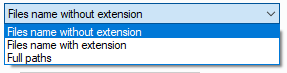
- File ID:
- Configuration Management:
-Named configuration: In this field, specify the name of the configuration you want to extract.
This field can be left blank for documents that do not have a configuration, such as Office documents
-All configurations: If you check this option, all configurations contained in the document will be exported to the Excel file.
Example of an export:

You will be able to make certain changes to this file and re-import this information into the data box to update the data cards (see "Filling Out Data Cards").