Type of conditions
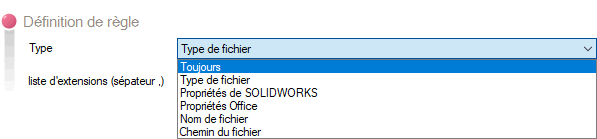
The administrator can apply several types of conditions:
- 'Always': When the condition type is "Always," all files dragged onto DragToPDM will be added to the vault location specified in the rule.
- 'File Type': When this condition type is selected, only the files in the dragged batch that have the extension specified in the rule will be added.
To add multiple extensions, simply separate them with the character ,
Example:

- 'SOLIDWORKS Properties': When this condition type is selected, only files whose property matches the equality type defined by the administrator will be added
Example:

Only files whose "type" property is different from "Biblio" will be added by DragToPDM
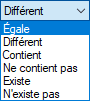
The applicable conditions of equality are as follows:
By clicking on the  it is possible to define the parameters for reading SOLIDWORKS properties:
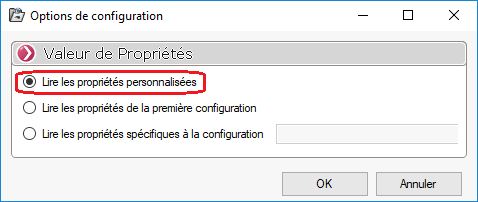
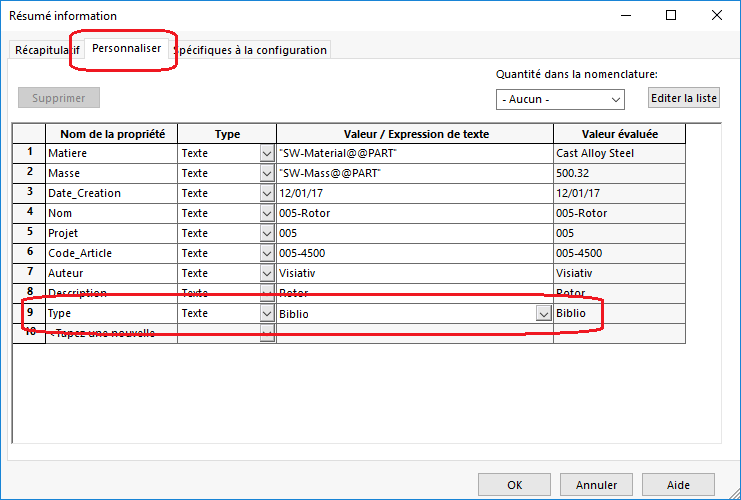
If you select this option, the rule will be applied to the properties on the Customize tab of SOLIDWORKS files
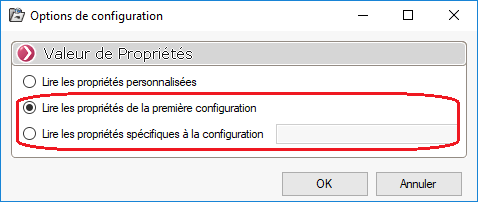
By selecting one of the two options below:
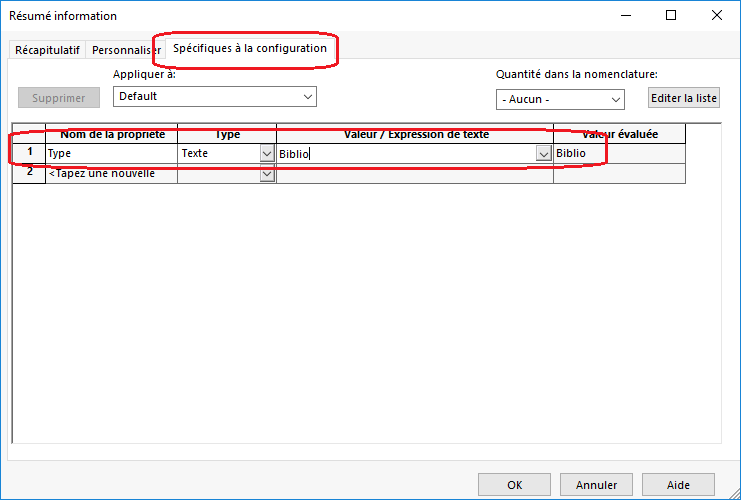
The properties will be read from the configuration-specific tab of the configuration defined in the options:
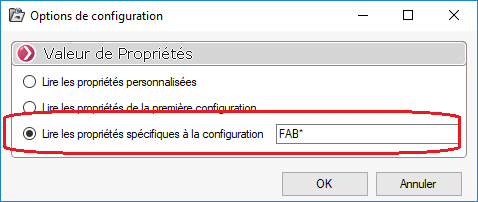
In the " Read configuration-specific properties " option, you can specify the name of the configuration to read using the wildcard character:
- 'Office Properties': When this condition type is selected, only files whose "Office" property matches the equality type defined by the administrator will be added

In this example, only files with the "Office" property set to "Documentation" will be added:
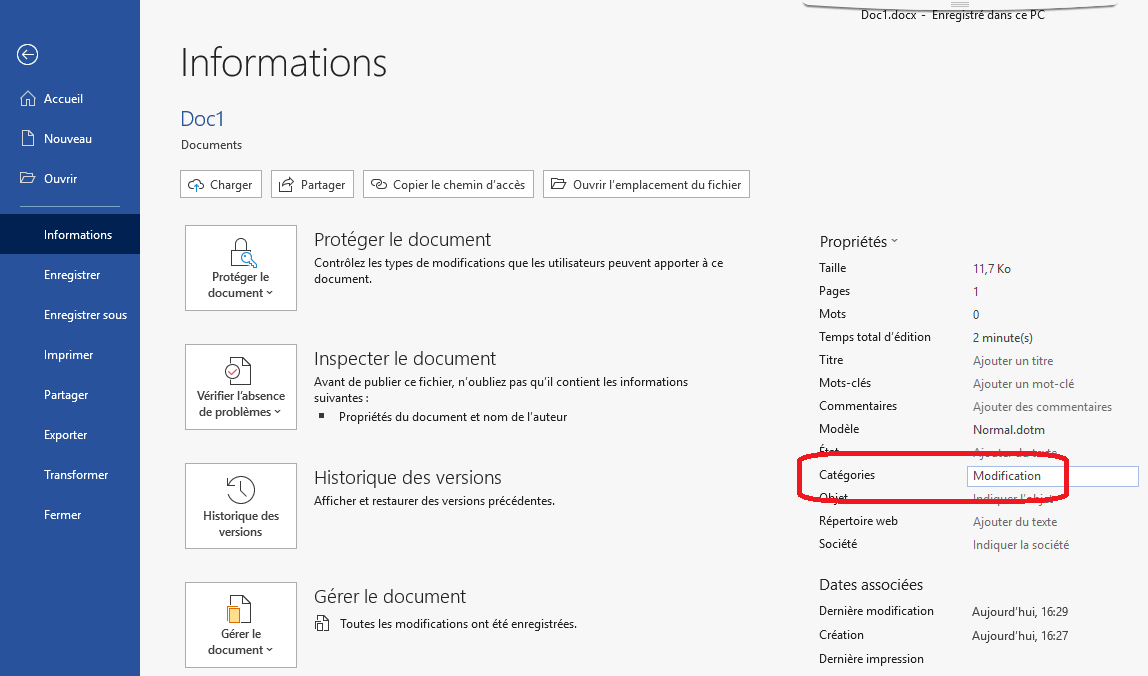
- 'File name': When this type of condition is selected, only files whose names match or begin with a sequence of characters (using the * character) will be added:
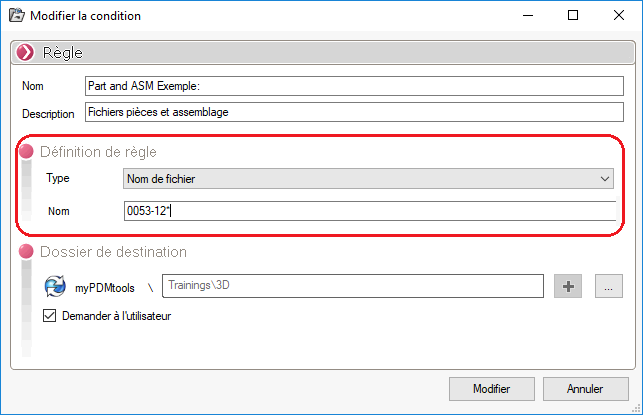
To select all documents that contain a string of characters, you can use an asterisk (*) at the beginning and end of the string, for example:
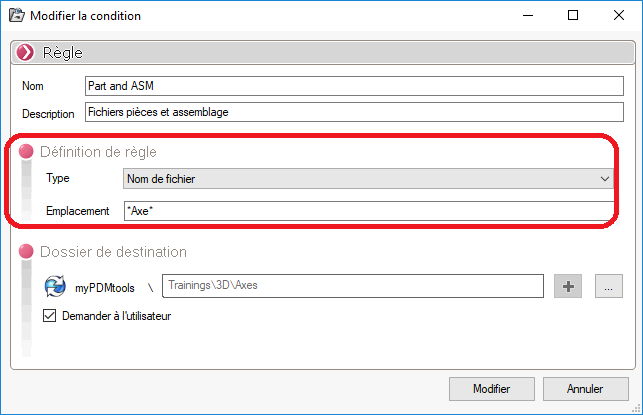
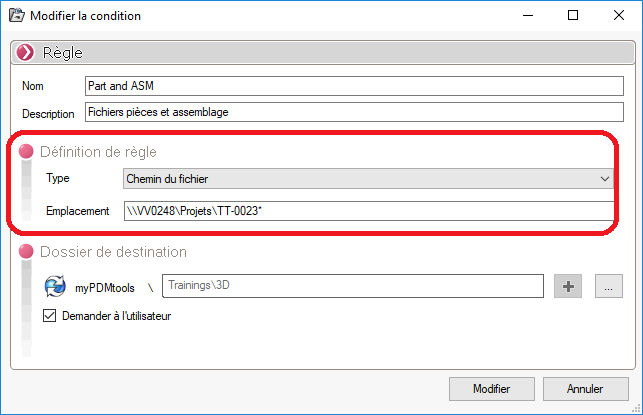
- 'File path': When this type of condition is selected, only files whose path matches or begins with a sequence of characters (using the * character) will be added: