
Creating a serial number
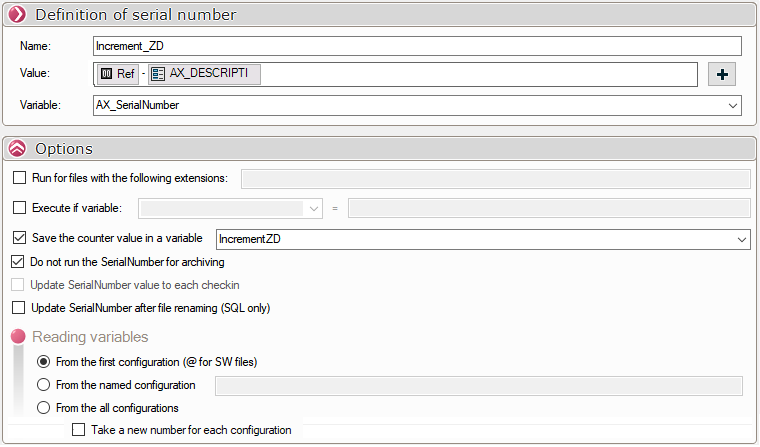
Dialing the serial number :
The format string definition window appears to format a serial number:

- Define serial number name.
- Set the serial number value and click on
 for set format string.
 - Define the variable to be updated with the serial number
In this window, we will be able to define an attribute concatenation and a counter to set the format of the SerialNumber.
Options :
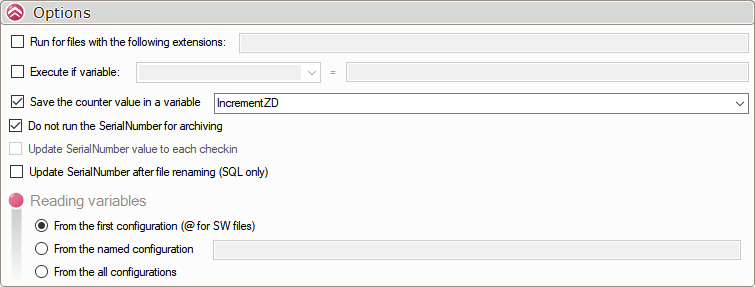
- Execute for files with the following extensions : This option filters the files to be processed with SerialNumber.
Extensions must be separated by the ;
Example: 'sldprt;sldasm
- Execute if variable : This option allows you to filter the files to be processed with SerialNumber according to a given map value.
You can use the wildcard character * for cases beginning with (text*), containing (*text*) or ending with (*text).
- Saving the counter value in a variable : This option is mandatory when using a counter in the Value.
(This recalculates the SerialNumber without incrementing the counter value)
- Do not execute SerialNumber on archiving : This option allows SerialNumber to be used only from a
- Recalculate the SerialNumber value for each archive : Allows you to update the SerialNumber when archiving a file.
If a counter is used in the SerialNumber value, the option to save the counter value is mandatory.

- Recalculate SerialNumber after renaming a file (SQL modification only):
Recalculates the SerialNumber if it is linked to the file name.
The variable will be modified in SQL only.
Reading variables :
The tool SerialNumber will always fill in the values in all configurations.
The reading of variables to create the SerialNumber value can be defined using three options:
- From 1st configuration (@ for SW files) Variables are read from the first configuration in the file and the calculated value applied to all configurations.
- From the configuration named Variables are read from a specified configuration and the calculated value is applied to all configurations. If this configuration does not exist, then the values are read from the first configuration.
You can use the wildcard character * for cases beginning with (text*), containing (*text*) or ending with (*text).
- From all configurations, value retrieved for each configuration processed Variables are treated independently of each other.
Take a new number for each configuration:

When this option is checked, if a counter is used in SerialNumber, a new number will be used for each configuration:
For example, using a "Simple Counter":
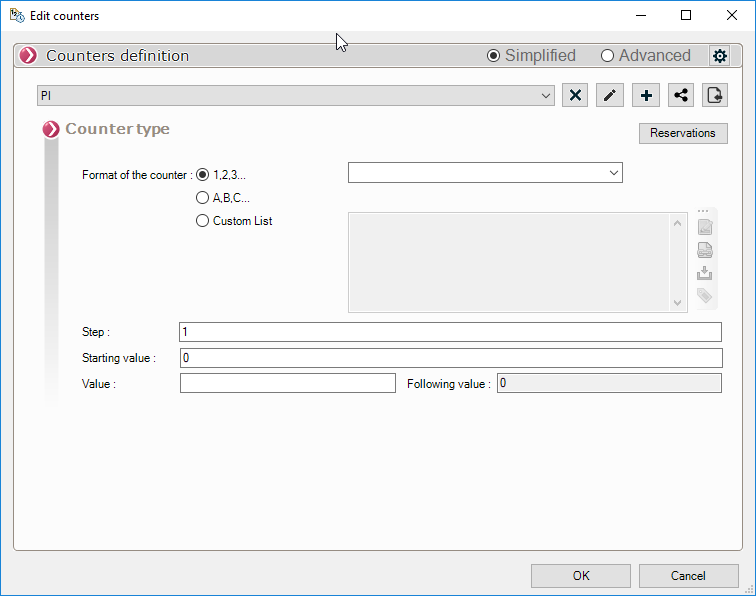
- Option not checked:

- Option checked:

Please note that the order in which the numbers are assigned may differ from the order displayed by PDM