
Managing access rights from Web Explorer
Access rights can be created or modified ONLY on the tree level defined in the general configuration parameters.
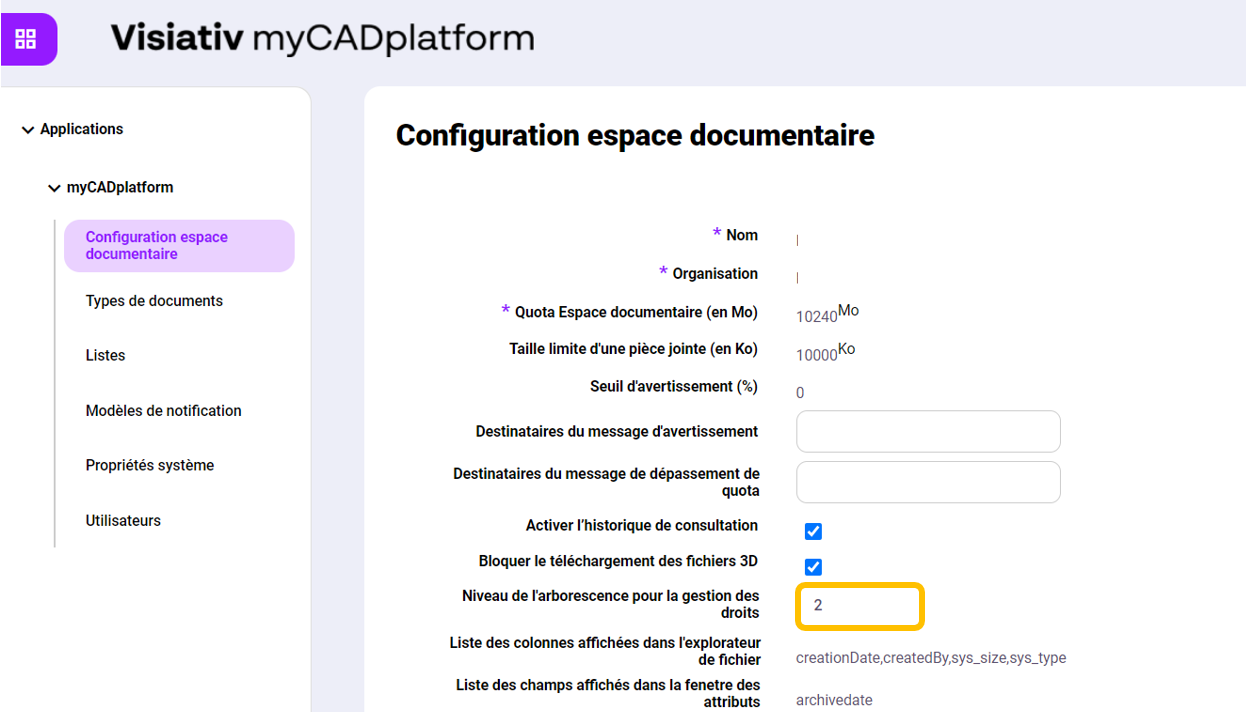
In this example, if the selected tree level is 2then the administrator will be able to apply rights only to the Supplier1, Supplier2, Customer1 and Customer2 :
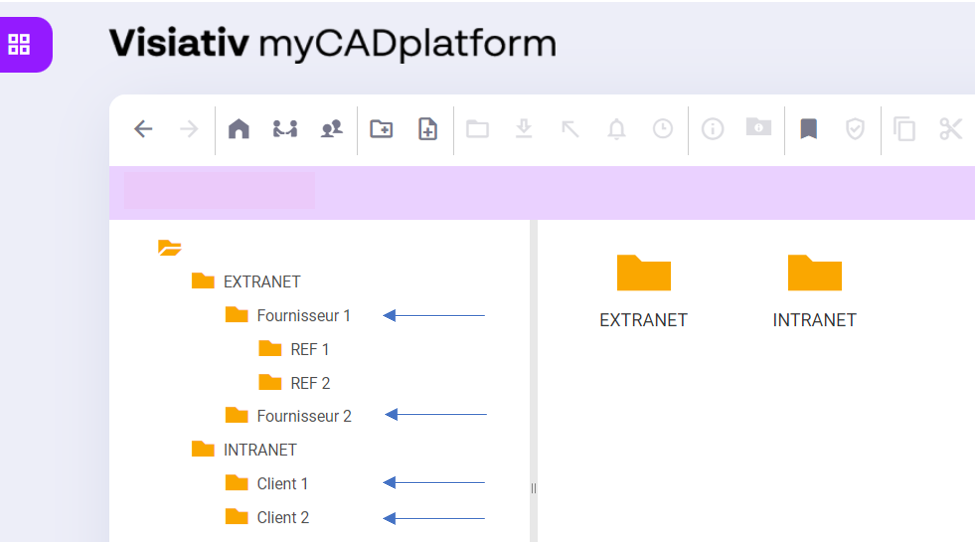
All subfolders and files will inherit the rights, which means that rights will be the same throughout the folder tree.
To create or modify folder rights, use the "Share" button.  either from the top menu bar, or from the drop-down menu on the right-hand mouse button.
- Enrolling new users in the platform
- Give existing platform users access rights to a folder
- List, modify or delete folder access rights for one or more users
- Set user language
At the top, you can give "Read only" or "Read and write" rights to users who do not yet have access to this folder.
You can also choose the language (English, French or German) in which the user will receive the notification e-mail.
If a user does not yet have an account on the platform, they will receive a notification mail allowing it to be enrolled on the platform.
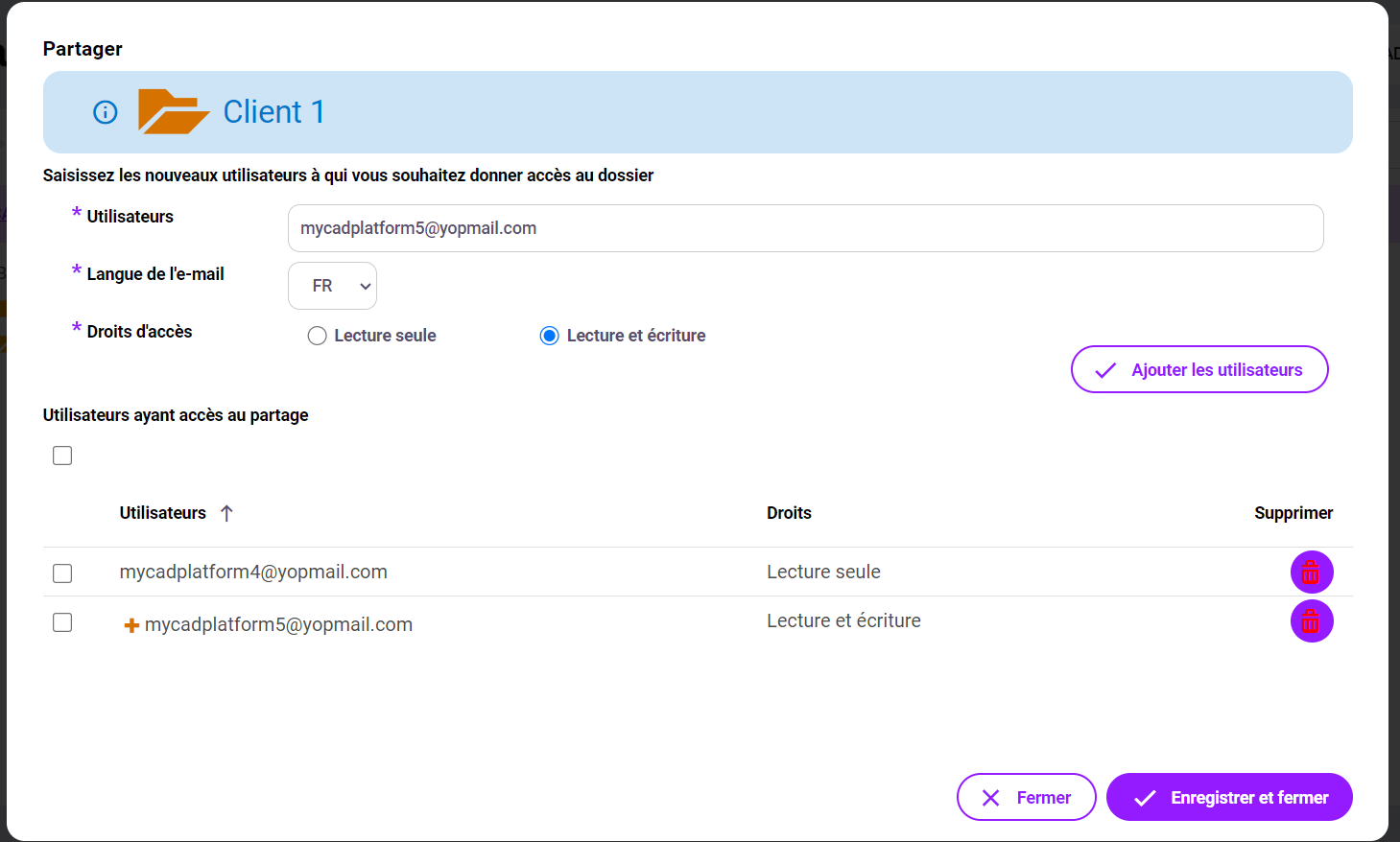
You can enter multiple users, separating their e-mail addresses with a semicolon.
Select the desired level of rights, then click on ".Add rights ". New users appear at the bottom of the menu, preceded by a + sign.
Click on "Save and Close "to complete the operation.
In the lower section, you can also modify or delete the rights of users who have access to the folder. To do this, simply select the users concerned and choose the action to be applied.
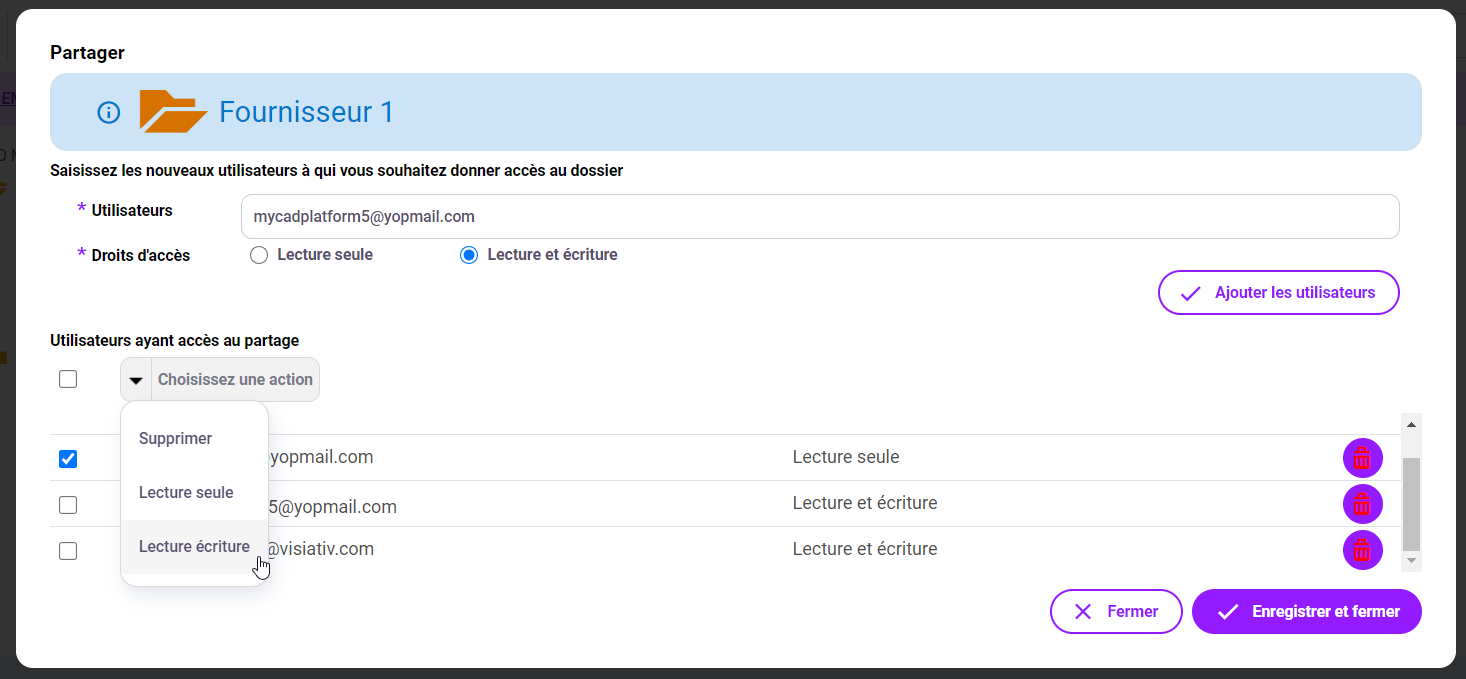
Click on "Save and Close "to complete the operation.