
Document types
This feature allows you to define document types with their own document properties.
A file added to myCADplatform, whatever its extension, can be associated with a document type. This document type then determines the metadata that can be entered with the file.
You can add as many document types as you like. Each document type can have any number of document properties.
The types of document properties available are :
- One date
- A number
- A standard text field
- Mono line
- Multi lines
- Drop-down list
- Non-drop-down list
A property can :
- Be made compulsory
- Limited number of characters (Text field)
- Have a default value
Document types and properties can be translated and displayed in three languages: FR/EN/DE
Create/Modify a document type
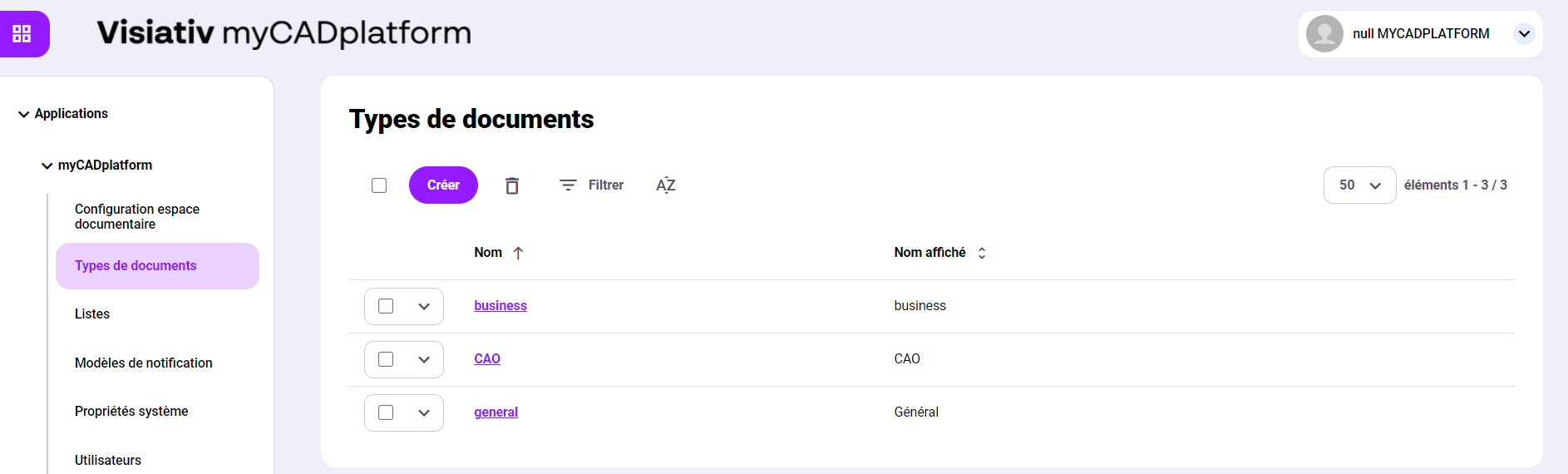
To create a document type, click on the "Create" button.
To modify a document type, click on the name of the document type.
The following screen, for example, lets you modify the "general" document type
- Create or modify name translations
- Create or modify properties associated with this type of document
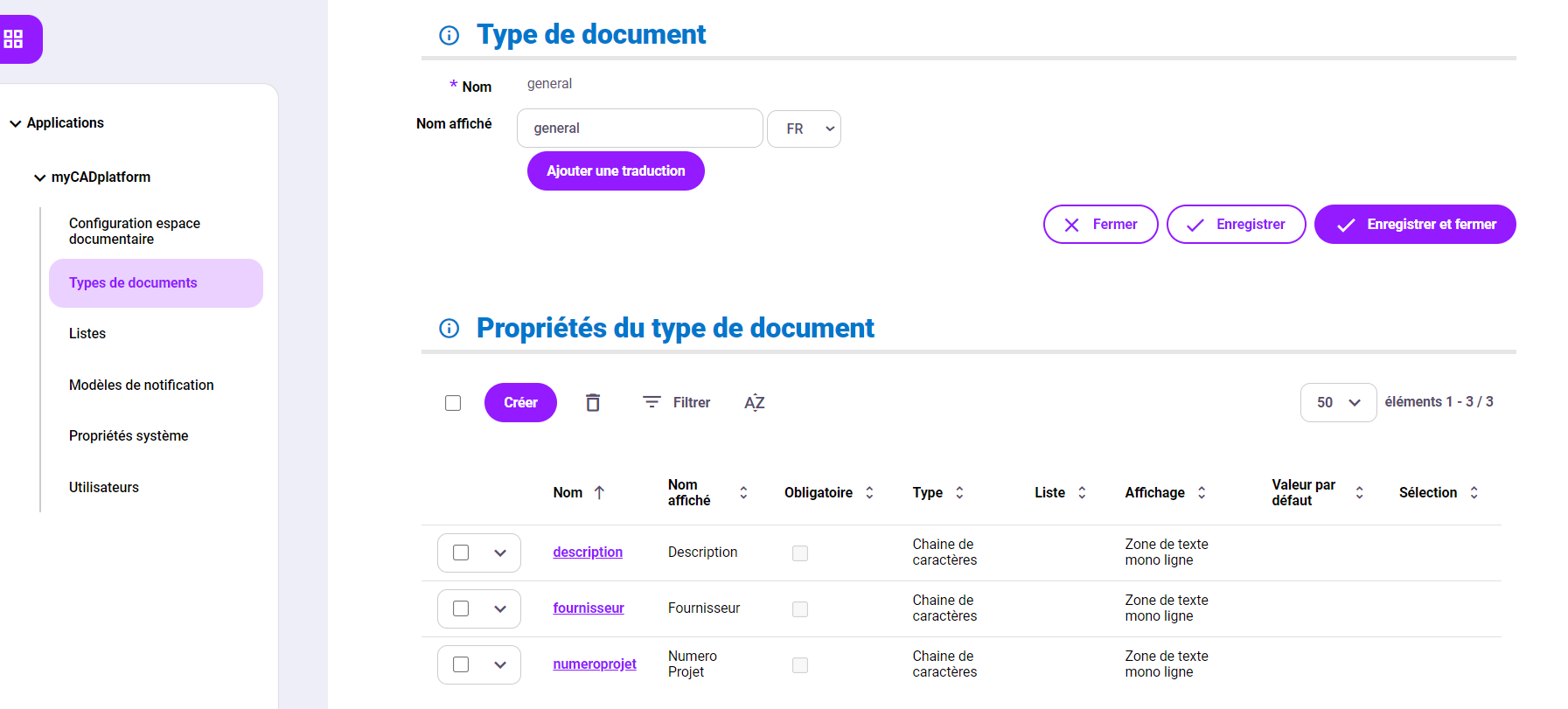
Create/Modify document type properties
Via the list of document type properties, the user can create, modify or delete a property.
Click on the "project" property, for example, to access all its parameters.
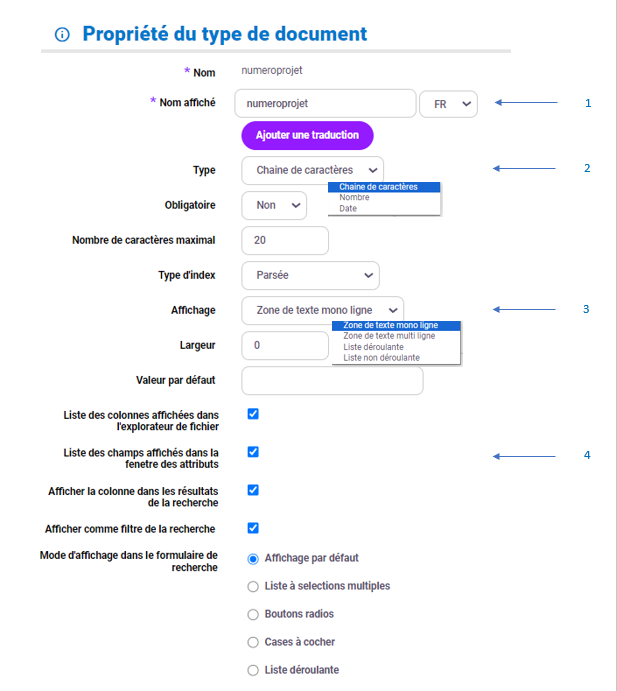
- The translation management component is the same as for a document type form.
- The "Type" field allows you to choose between a date, a number or a text.
- In the case of text, "Display" lets you choose between text input or a multiple-choice list.
- You can choose to display this property in the different environments of myCADplatform
- Display column in file explorer
In Web Explorer, in list modethe property will always be visible
- Display fields in property windows
In Web Explorer, when a document is added, the property will be visible and editable.
In Web Explorer, the property is visible and can be modified using the "Properties" command.
- Show column in SEARCH RESULTS
In the search results, the property will always be visible
- Display as search filter
In the advanced searchproperty can be used as a search filter