Mass rename files
The SmartDrawings, BatchConverter, BatchProperties, ProjectManager, Integration CloneComponents, PowerPrint, SheetMetalManufacturing, andmyCADviewer allow you to rename files generated using the field generation tool.
This tool will allow us to create a filename by retrieving SolidWorks properties, a system variable, or simply by specifying a fixed value.
We'll also be able to concatenate variables to generate a unique name.
Example 1:
Let's take BatchConverter as an example. We want to specify a specific name for the export files that are created.
Configure the name so that it retrieves:
- the file name
- the value of the "Revision" property
- a meter

When we start the export, the tool will generate a STEP file of the 3D model with the specific name we defined:

Example 2:
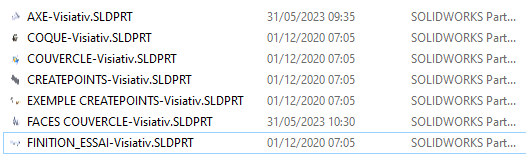
We want to rename all documents from the FindDocument Service database while retaining the references.
To do this, we use FindDocument with a naming convention:
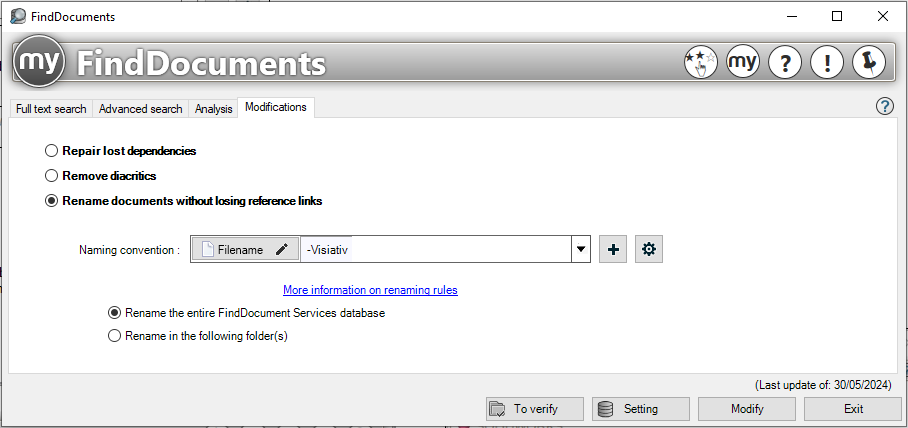
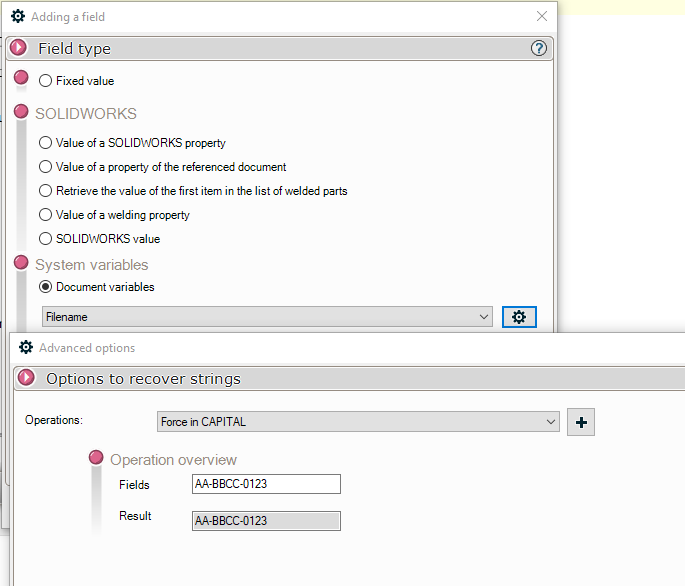
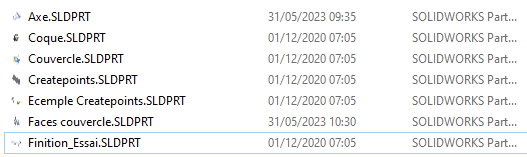
This rule will allow us to rename the files with "the original name forced to uppercase" and "-Visiativ"
Here is the result:
 →