
Selection of Model Plan Documents
Your models must include predefined views (for example, 3 standard views and 1 isometric view).
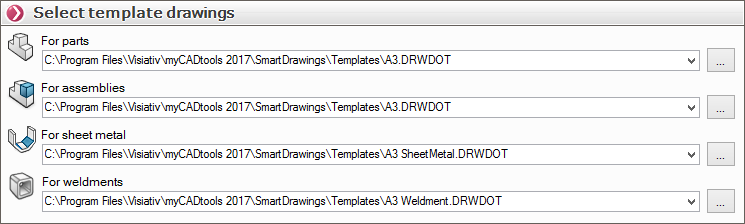
For each document processed, we specify  the document template to be used. Templates are proposed by default and are available in the myCADtools installation directory (C:\Program Files\Visiativ\MyCADtools 2017\SmartDrawings\Templates).
You can, of course, link to your own document templates.
- The " Sheet Metal Part " template automatically creates a view of the sheet metal part in its unfolded state if the option is checked in " Options."
- The "Welded Structures " template automatically inserts a table listing the welded parts. If you do not want this ( see "Generated Drawings "), simply do not select a template; in that case, SmartDrawings will use the template selected for the parts.