
Units
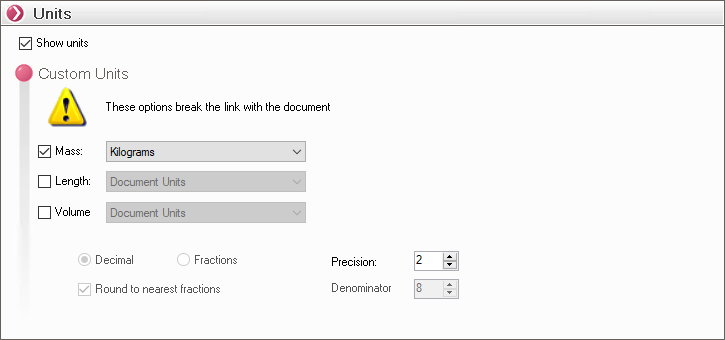
This section allows you to manage the custom display of units for certain property values, such as mass, volume, and the units of " Dimension " properties.
- " Show Units ": Allows you to add the unit to the calculated or retrieved value in order to provide the most accurate information for the property.
- " Custom Units ": Here, we will select the unit we want to use for " SOLIDWORKS Variables " properties. By default, when no options are checked, SmartProperties uses the document's units. When you check the boxes, a drop-down menu appears, allowing you to select a unit. All that's left to do is set the number of significant digits using the "Precision" parameter.
 Selecting one of these options breaks the link with the document options.