
Creation with AutoCAD
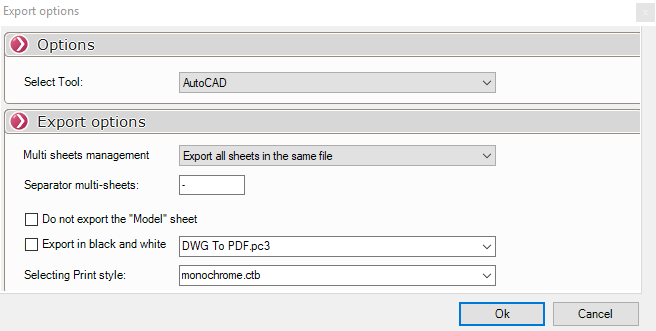

When a file contains multiple sheets, you can specify how each sheet should be exported.

For these types of DWG or DXF files, the first sheet is usually named "Template." By checking this option, you can ignore it and choose not to export it.
You can also export only the template sheet by selecting "Export Template Sheet Only"from the "Manage Multiple Sheets"drop-down menu.

 This option allows you to choose the separator to be inserted into file names when the option Export all sheets to separate files.

These options allow you to set the name of the AutoCAD plotter that will be used for PDF export and to select the print style (for example, to specify color or black-and-white printing).
In the properties of the AutoCAD plotter remember to uncheck the option  to not have all the PDF open on screen