
Selecting the contact information to extract
Selecting the coordinates to extract using the 3D Annotation Creation method.

Selecting the contact information to extract in " Export to File " mode.

For both types of methods for creating reference points, there are several types of selections:
- Selecting Points or Vertices
- Selecting Entities
 This button deletes all annotations in the graphics area.
 (If the last selection included several annotations, this button will delete all the annotations in the last selection).
When using the "Export to File" method,a table is added below the entity filters:
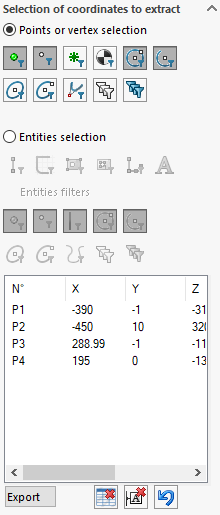
 Export: This button is used to export table rows to an Excel file. (After clicking on this button, a window appears to select the destination location for the Excel file).
 This button deletes all rows in the table.