
Save as
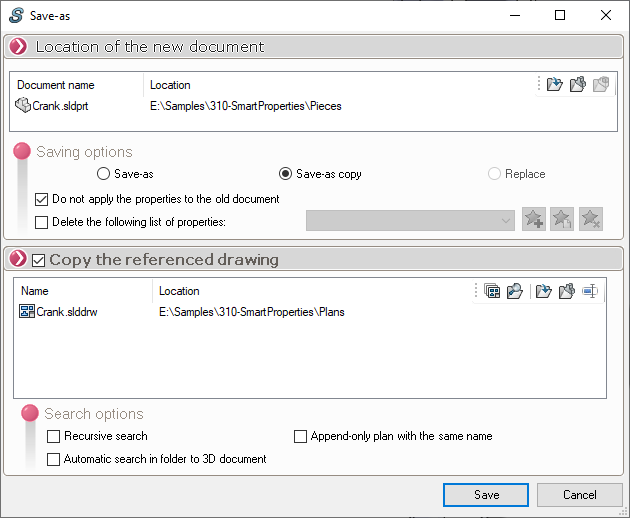
- Clicking the " Save" button saves the document.
- Clicking the "Cancel" button will cancel the save. A message box appears asking, " Do you want to reset the applied properties? ":

- If you click " YES," any properties entered in the SmartProperties PropertyManager will not change the document's properties.
- If you click " NO," all of the document's properties will be changed to the values entered in SmartProperties' PropertyManager.
These two actions automatically close the SmartProperties tool, unless the  is activated.