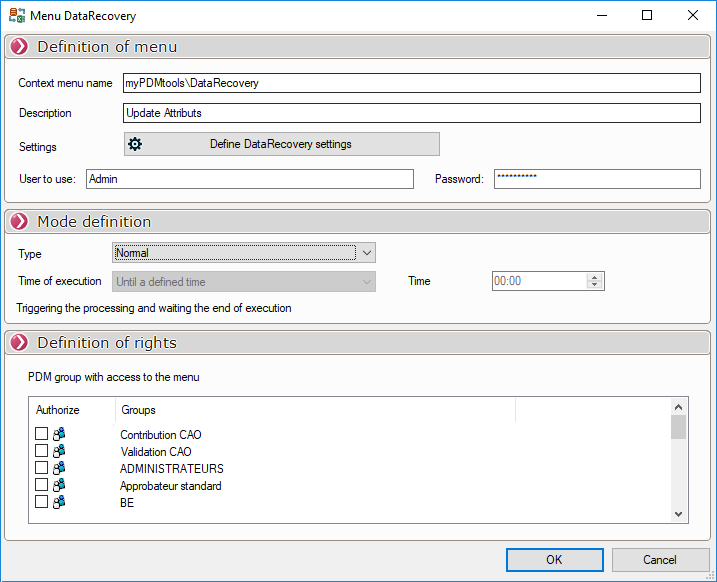
Creating a Custom Menu
- Context Menu Name - Enter the name. If it is to be included in a multi-level drop-down menu, use the \ character.
- Description - Optional entry.
- Settings - Define the processing here. Only "Analyze Broken References"cannot be selected.
- Specify the user to be used for processing.
- Mode Definition - Specify the processing mode here.
- Normal Processing Type or Specified Processing Time
- Normal - Start the process and wait for it to complete.
- Defined processing time —You can specify the duration of the process. A maximum of one hour or a specific processing duration can be set. If processing is interrupted before completion, the application will save the progress status in the PDM database, and processing will resume the next time the tool is launched.
- Permissions Settings - Check the PDM groups here that have access to this drop-down menu (see "Permissions Settings"in the General Options)